Create and perform music with multitrack sequencing, monophonic and polyphonic synthesizers, and drum machines. Adjust customizable parameters for sound shaping. Record and export compositions directly.
Create and record musical patterns by tapping and swiping multi-touch pads. Record continuously without setting a tempo. Drag and adjust pads for customization. Play and refine patterns without stopping. Sync with audio units and standalone devices.
Create and edit music with advanced synthesizer features. Load and manipulate sound samples. Adjust filters, envelopes, and modulation. Save and export audio files. Use multiple skins for interface customization.
Create and edit beats using samples and sequencer programming. Tap pads or use advanced controls for sound shaping. Build complex sequences and customize rhythms. Export projects and share beats directly.
Play and convert notes into in real-time with high accuracy and low latency. Record performances, edit data, and sync with DAWs. Supports polyphonic pitch detection and articulation recognition. Export files and share recordings.
Create rhythm patterns for guitar, bass, keyboard, or other instruments. Control verse, chorus, transition, fill, intro, and outro sections. Use Bluetooth MIDI Pedalboard for hands-free operation. Adjust timing and tempo in real time.
Create and customize virtual synths with a wide range of sounds, from analog to modern digital styles. Adjust parameters like filters, envelopes, and modulation. Export audio files and integrate with music production software.
Access and customize Tera Pro sounds with adjustable parameters for tone and structure. Explore morphing between sounds to create new variations. Integrate with Tera Pro for expanded sound design capabilities.
Create and edit drum beats with customizable instruments like snares, tenors, and bass drums. Input exercises manually or generate new ideas based on user input. View editable music scores.
Allows users to create custom delay signals using three effect racks. Effects can be inserted before, during, or after the delay loop. Users adjust signal flow by selecting and arranging effect modules across the racks.
Apply vintage effects to audio tracks. Adjust parameters like time, feedback, and modulation. Choose between analog-style filters and modulation types. Save and load presets. Export processed audio files.
Create and customize rhythms with three drummers offering modern, classic, and contemporary styles. Export multi-track or full mix audio via MIDI. Access over 60 bass lines in iBassist. Adjust delay and reverb effects for sound shaping.
Create and manipulate sounds using additive synthesis. Adjust sine wave parameters to shape timbres. Layer multiple partials to build complex tones. Save and export custom sound designs. Import and export audio files for further processing.
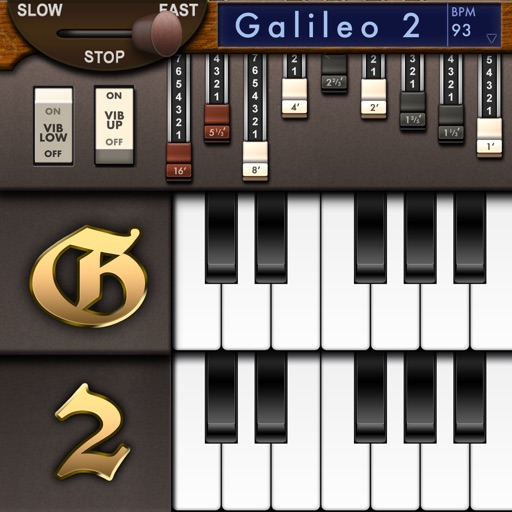
Create and customize sounds with 17 different types. Configure three manuals independently. Use scanner vibrato and chorus effects. Simulate rotary cabinets and tube amplifiers. Access AUv3 plugin for integration.
The app emulates vintage 80's hardware drum machines with a realistic interface. Users can play included rhythm presets or create their own patterns, with control over drum kit parameters and song mode.
Play along with pre-recorded drum loops from Jazz to Rock. Practice with a virtual drummer that adjusts tempo and swing. Use the smart metronome with clave and swing regulator features.