Control a robot with touchscreen, gyro, or gamepad. Play multiplayer across platforms. Create and share programs instantly. Customize gameplay with flexible options and creative modes.
Emulate the computer to learn Forth programming. Load and run original software, access source code, and explore historical computing documentation. Save and share project files via GitHub.
C++ allows users to follow structured tutorials, write and run code using a built-in compiler, and take quizzes. It covers core concepts from basic to advanced. No prior programming knowledge is required.
Edit and run PHP scripts directly within the . Use auto-complete and auto-indent features. Customize code color and font size. Execute code by selecting text in the built-in browser or text editor. Support keyboard input and cursor movement.
C allows users to follow tutorials, write and execute C code, and take quizzes. It covers core concepts from basic to advanced. No prior programming knowledge is required.
Write and test C/C++ code directly on iOS devices. Compile and run code snippets using supported compilers. View execution results and debug code in real-time. Learn concepts through hands-on practice.
Compile and run C++ on mobile devices with integrated Python and Lua environments. Execute Linux commands via console. Support highlighting, split-screen display, and console input/output.
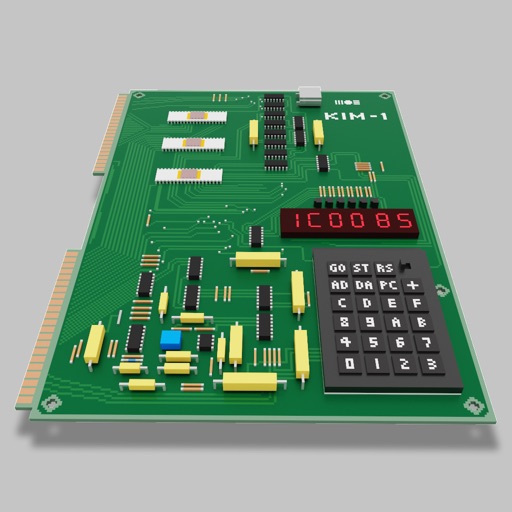
Users can assemble and debug assembly code using a simple interface with 7-segment LEDs and buttons. Run programs on an emulated 8-bit processor. Solve programming puzzles and explore hardware components used in early home computers.
Learn and program language on iOS devices. Enter and run code, use built-in functions, and access help documentation. Save and load programs. Simulate Commodore 64 environment for educational use.
Simulate a MITS Altair 8800 computer with CP/M 2 operating system. Run Basic programs and interact with Eliza. Explore vintage software without remote code addition.
Track daily practice sessions and record progress. Access beginner tutorials, chord , and interactive guides. Connect with other users to share experiences and feedback.
Edit and run Lua 5.2.1 scripts with auto-complete, auto-indent, and code highlighting. Execute selected text or keyboard input. Support io.read() and file system access for text, PDF, MP3, ZIP, and image formats.
Learn CNC programming by simulating operations. Input G-code to machine parts. Rotate and zoom 3D models. Adjust tool paths and view machining results. Practice setup and tooling configurations.
Create programs using a with interface elements like buttons, text boxes, and sliders. Organize objects into pages. Publish apps via SDK for Xcode. Write code for standalone iOS applications.
The app offers a classic slide rule experience with precision and educational features. Users can learn calculations through an auto-slide-rule mode and select from 19 basic operations, including multiplication, division, powers, and logarithms.