Edit and manipulate audio samples within a sample library. Import custom samples and access an online store. Use as a standalone or AUv3 plugin. Create new music by chopping, looping, and arranging samples.
Create and manipulate effects with two parallel reverbs. Swap between reverbs based on amplitude or tone changes. Auto-duck inputs to reduce unwanted noise. Adjust parameters for precise harmonic control. Export processed audio files directly.
Offers a warm, softly saturated tone with a unique feel. Users can adjust , EQ, and saturation levels. It provides a sound without harshness. Compatible with digital audio workstations.
Create and customize sounds with 17 different types. Configure three manuals independently. Use scanner vibrato and chorus effects. Simulate rotary cabinets and tube amplifiers. Access AUv3 plugin for integration.
Create music using a - sequencer. Play notes by bouncing balls on customizable keyboards. Adjust ball count, speed, and size. Set key/scale, velocity range, octave, and channel. Customize notes per keyboard. All keyboards share the same scale.
Convert text inputs into unique waveshapes for bass sounds. Generate monophonic sub- tones from user-generated phrases. Customize audio output with codes.
Adjust audio signals with noise gate and low-pass filtering. Use 6 preamp models and 3-band tone stack. Apply flanger, chorus, and phaser effects. Add echo, delays, and reverb. Mix impulse responses and adjust power amp settings.
Apply and flange effects to audio tracks. Adjust parameters like delay, feedback, and mix. Integrate with AUv3 host apps. Expand controls for easier tweaking. Enhance sound with a high-quality algorithm.
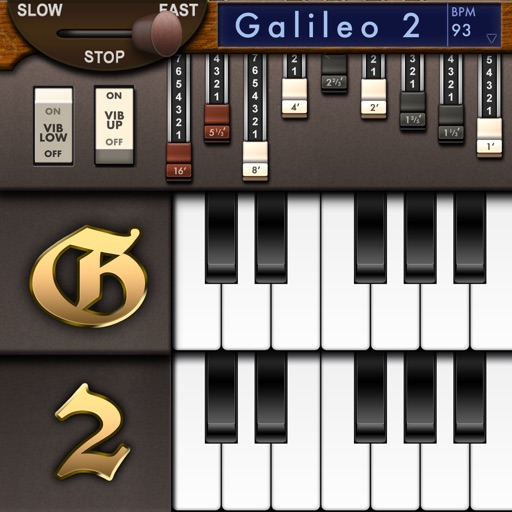
Simulate a Hammond Organ B3 with two manuals and a pedalboard. Adjust drawbars for upper and lower manuals and pedalboard. Use a physical modeling engine with 91 tonewheels. Apply rotary speaker effects and tube overdrive.