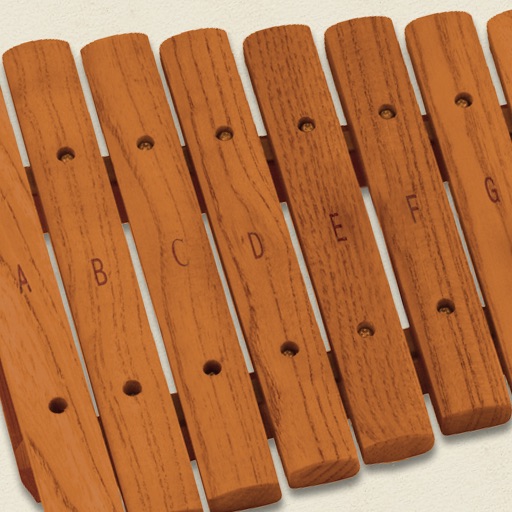
The app simulates a marimba, a percussion instrument with wooden keys arranged like a piano. It produces musical tones when struck with mallets, offering a chromatic layout for performers.
Create music using device sensors such as touch, motion, camera, and microphone, or connected peripherals like game controllers, Apple Watch, or AirPods. Connect modular MIDI components in the editor to build custom setups.
Create and customize sounds using color-based waveform editing, filtering, detuning, and vibrato. Adjust pan, volume, space, and noise levels. Program multiple tone colors with intuitive graph controls.
Adjust audio frequencies using adjustable band widths and fader-style controls. Visualize EQ adjustments in real-time. Apply low-pass, band-pass, and high-pass filters to shape sound. Modify tone and filter settings for precise audio customization.
Create and manipulate audio using up to 10 band pass filters displayed as . Adjust resonance, delay time, and feedback per band. Modify cutoff frequency and resonance across bands for custom sound effects.
A music plugin that emulates a vintage with three playback heads and two spring reverb tanks. Offers three frequency responses and saturations. Includes analog imions. Supports AUv3 and standalone use.
Record and manipulate audio loops with up to five independent microloopers. Automatically capture sounds based on input detection. Replace older sounds with new ones for evolving audio layers. Adjust loop size, pitch, and reverse settings.
Edit audio with vibrato chorus effects and multi-stage filters. Adjust stereo field positioning and texture. Integrate with Audio Unit hosts or DAWs for real-time processing. Document and control Audio Unit parameters within the .
Simulate a Hammond Organ B3 with two manuals and a pedalboard. Adjust drawbars for upper and lower manuals and pedalboard. Use a physical modeling engine with 91 tonewheels. Apply rotary speaker effects and tube overdrive.