Use iPad as an external display for Mac or PC. Connect and control devices wirelessly. Adjust screen layout and resize windows. Share files and copy text between devices. Support for multiple monitors and drag-and-drop functionality.
Edit code with syntax highlighting and code completion suggestions. Open files from iCloud or drag onto the . Insert tags via menu or comment code with dynamic detection. Export files directly.
Provides a Python 3.10 environment with code completion and a debugger. It includes a terminal, C/C++ compiler, and support for third-party libraries like cryptography and matplotlib. Users can build graphical interfaces and use Shortcuts.
Provides a command line interface for coding and system tasks. Users can execute commands like ls, ping, and clang. Features include file management, network diagnostics, and text processing. Supports scripting and terminal-based development.
Learn HTML, CSS, and JavaScript with code templates, auto-completion, and syntax highlighting. Run code examples locally and share via LAN HTTP/FTP. Use Git for version control and iCloud for storage. Edit and execute code directly within the .
Monitor performance with real-time CPU, memory, and battery usage tracking. View detailed hardware specifications and storage information. Run system tests, benchmark apps, and analyze network activity.
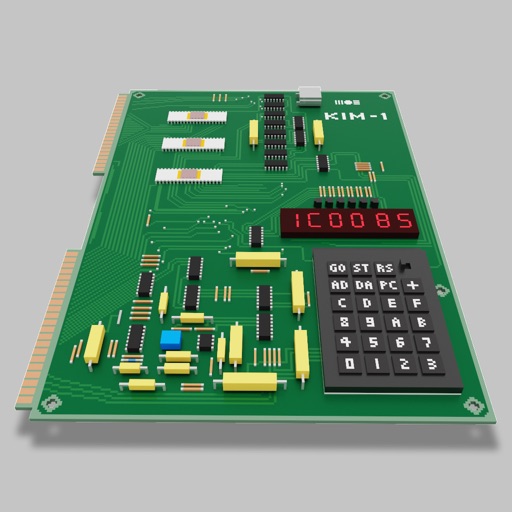
Users can assemble and debug assembly code using a simple interface with 7-segment LEDs and buttons. Run programs on an emulated 8-bit processor. Solve programming puzzles and explore hardware components used in early home computers.
Coding with interactive labs and an on-device Python IDE. Run without setup or internet. Access tutorials on syntax, variables, functions, loops, data analysis, visualization, web scraping, networking, XML/JSON parsing, and machine learning.
Write and test C/C++ code directly on iOS devices. Compile and run code snippets using supported compilers. View execution results and debug code in real-time. Learn concepts through hands-on practice.
Processes with clipboard integration, editing, and customizable workflows. Users can copy, paste, and organize across devices. Supports universal purchase for cross-device access. Includes templates and formatting tools for efficient management.
Test with syntax highlighting and match visualization. Customize highlight colors and view results in a list. Perform replacements and choose from light or dark themes. Access a cheatsheet for operators and metacharacters.
Manage servers, NAS, and Linux routers via SSH without extra software. Connect remotely using terminal sessions. Execute scripts across multiple servers. Monitor performance metrics.
Write Python code on mobile devices with syntax highlighting and error stack support. Run scripts directly. Use split screen for code and console. Access built-in environment for development.
Manage remote servers with SSH and Telnet connections. Access terminal emulators with keyboard and language support. Create and switch between multiple sessions. Connect via Bluetooth key. Execute commands and manage server settings remotely.
Write and execute code with instant runtime and smart syntax recognition. Access step-by-step tutorials and sample projects. Format code automatically and learn through built-in resources.