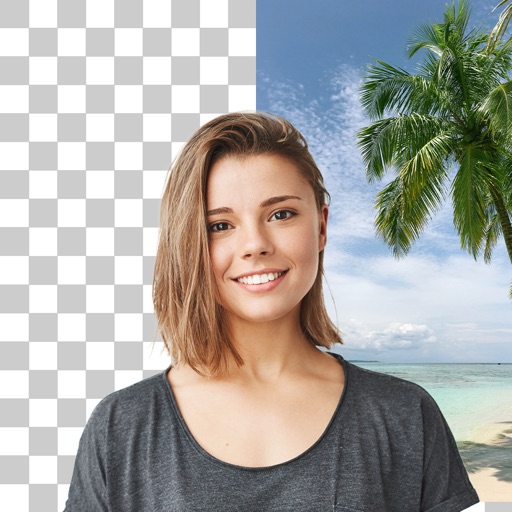
Edit photos with cropping, filters, and adjustments. Remove unwanted objects or people using the Magic tool. Replace backgrounds to create montages. Create collages with pre-designed templates. Export edited photos in multiple formats.
Remove unwanted objects, people, or imions from photos using AI-powered editing. Describe the elements to remove with natural language prompts. Edit images with precise object removal, adjust colors, and enhance details.
Edit photos by describing desired changes, additions, or removals. Remove objects or people seamlessly. Enhance lighting and mood with cinematic, dramatic, soft, or warm settings. Adjust colors and apply filters. Save or share the final edited image.
Remove backgrounds from photos using AI-powered erasing. Select and isolate subjects with precision. Adjust edges and refine details. Export edited images in various formats. Share directly or save to device storage.
Edit photos with AI-powered lighting correction, exposure adjustment, and shadow detail enhancement. Retouch faces and bodies, experiment with makeup and hairstyles, and create collages or videos. Share edited content directly.
Objects from videos using AI-driven object detection and editing tools. Select and erase unwanted elements frame by frame. Adjust background seamlessly and export edited videos in high quality.
Create AI-generated videos and explore future baby simulations. Edit photos with AI headshot generation, face swapping, hairstyle changes, color replacement, and skin retouching.
Edit photos with AI-powered object removal and background blur. Generate from text using AI. Adjust colors, brightness, and contrast. Add filters and effects. Crop and resize . Share edited photos directly to social media.
Retouch portraits by smoothing skin, enhancing smiles, and removing imions. Apply filters for vintage, color toning, and film styles. Adjust color temperature and tone for precise corrections. Export edited photos directly.
Edit photos with one-tap auto enhance and apply hundreds of filters and . Add stickers, frames, and text. Adjust brightness, contrast, color temperature, and saturation. Crop, rotate, and straighten images. Sharpen or blur details.