Swipe up to jump, swipe down to shrink, and push the cube over obstacles to collect coins. Navigate through levels with touch controls and track progress through interactive challenges.
by ELIJAH MACKIE JAKE MCDONALD★ 0.00 ratingsProductivityFreeData updated 2026-09-06
Turn your smartphone or tablet into a wireless for your Mac. Connect quickly without technical setup. Use touchpad controls with swipe, scroll, and tap gestures. Control your device from across the room during presentations or tasks.
The app calculates the weight of sheet metal by entering size and specific gravity. Users can select shapes like cube, cylinder, or pipes to determine weight and cost.
Remove duplicate photos and videos using AI. Swipe to keep or delete items. Sort by date with 'On This Day' and monthly views. Organize media by month. Clear phone by managing camera roll files.
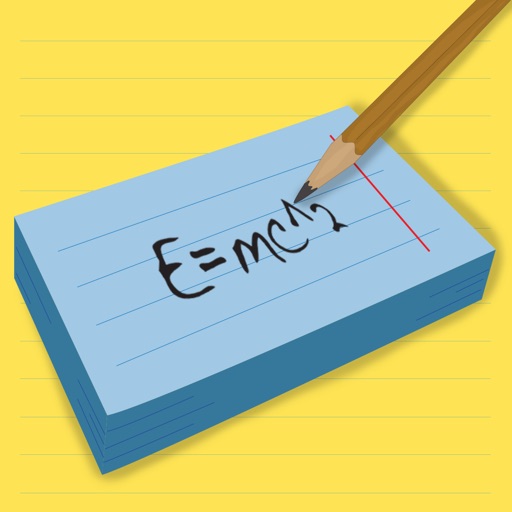
Create and review flashcards with swipe gestures to flip . Draw notes freely with finger or Apple Pencil. Hold to flip card over. Shake for random card. Swipe down to cancel or up to delete.
Collect and edit text across Mac, iPhone, iPad, and Apple Watch. Organize notes with color-coded dots. Switch between dark and light mode. Minimize interface clutter with simple formatting tools. Sync text across devices seamlessly.
AI-powered storage cleaner identifies and removes duplicate photos and similar images. Compresses videos to save space. Clears cache for improved performance. Deletes incomplete contacts and merges duplicates.
Track daily with a simple interface and view progress over seven days. Add notes, sync across devices using iCloud, and use interactive widgets for iOS 16 and 17. Share and apply changes via touch gestures on widgets.
Create and manage checklists by tapping + to add new lists or items. Edit lists and items using the info button. Set reminders with due dates and notifications. Delete items or lists using a swipe-to-left gesture.
Create and organize flashcards for studying. Use spaced repetition to memorize information. Import and export flashcards to share with others. Swipe through cards for easy navigation. Set reminders for review sessions. Track progress over time.
Manage and upcoming tasks with intuitive swipe gestures. Rearrange tasks easily and view yesterday’s, today’s, and tomorrow’s plans. No login required for immediate use.
Check cryptocurrency prices and details for major coins. Find altcoins by name and save favorites. Compare two currencies. View percentage changes over 1 hour, 24 hours, or 7 days. Access information offline.
Manage customer interactions by chatting live with prospects and leads anytime, anywhere. Record and share personalized videos remotely. Receive instant notifications for website visits or views. Automatically schedule follow-ups.
Track debts including credit cards and mortgages. Calculate interest savings from extra payments. Use method for payment planning. Set payment schedules and monitor progress visually. Adjust payments to reduce faster.
The app provides access to iPhone features from the lock screen or within other apps. It includes widgets for Twitter, Instagram, Calculator, and Timer.
Take and send them directly to your inbox with a swipe. Create reminders and follow-up tasks. Organize in a clean, minimalist interface. Sync across devices and access them instantly.
View live streams, control cameras, adjust settings
View live video and audio streams from IP cameras. Add, edit, or delete cameras. Control pan, tilt, and zoom with swipe gestures. Adjust camera settings like brightness and resolution. Save or share snapshots. Set preset positions.
TV with touchpad navigation and swipe gestures. Access traditional buttons for precise . Manage multiple device brands and models. Navigate menus intuitively with on-screen touchpad.
Manage tasks with a to-do list for each week. Create or delete tasks directly in the . Swipe to view next or past weeks. Mark tasks as completed and track progress across weeks.
Photos and organize the gallery by swiping to delete duplicates, blurry images, or screenshots. Remove clutter and free up space with one-tap actions. Reclaim device space efficiently without manual selection.