Swipe up to jump, swipe down to shrink, and push the cube over obstacles to collect coins. Navigate through levels with touch controls and track progress through interactive challenges.
by ELIJAH MACKIE JAKE MCDONALD★ 0.00 ratingsProductivityFreeData updated 2026-09-06
Swipe to save or pass as the learns your preferences. Get recommendations from other with similar tastes. Find matches by swiping and stream selected content on Netflix, Hulu, or other platforms.
Organize emails by sender with intuitive grouping. View all messages and attachments from a single contact in one place. Swipe to delete multiple emails from the same sender. Syncs with IMAP email providers.
Type text using flick gestures for navigation. Predict words during typing. Delete characters with a swipe motion. Customize layouts and themes. Sync with Apple devices for seamless input.
Browse new arrivals and special offers. Access early collection launches. View product details and pricing. Place orders and track shipments. Receive notifications for updates and promotions.
Measure angles and level machines using Bluetooth connectivity. Perform 2-axis simultaneous levelling and 2D alignment. View 360-degree bubble for precise adjustments. Sync with Cube for real-time feedback.
Save ideas and linked to dates. Add , agendas, or diary entries to specific dates. View by month or year. Swipe to navigate months. Customize note colors. Access a perpetual . Lightweight and design.
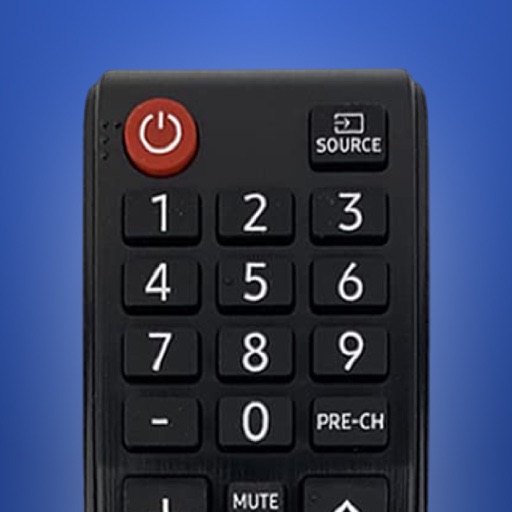
Control your TV with swipe gestures on iPhone, iPad, or Apple Watch. Launch TV apps instantly using customizable buttons. Navigate the web browser with a touchpad and keyboard. Adjust volume and channel with swipe gestures.
Identifies and removes junk files, blurry photos, and unused data with one tap. Organizes screenshots and videos automatically. Cleans cache and temporary files to free up storage. Provides detailed storage analysis and optimization suggestions.
Track employee expenses with instant notifications and swipe-to-approve functionality. Maintain secure records for tax purposes. Allow staff to log mileage and verify calculations. Communicate with employees via instant messaging.
Organize tasks with swipe gestures for lists and formatting. Add one-tap reminders and set priorities. Create folders and favorites for quick access. Sync across devices and search notes efficiently.
Track habits and progress with custom icons and notes. View daily tasks in grid or list format with swipe actions. Use reset timers and visual progress rings. Switch between light and dark modes.
Allows users to adjust volume, change channels, and playback. Launch apps, navigate menus with swipe gestures, and type using a phone keyboard. Connect via Wi-Fi for quick pairing.
Calculate with a dual-line display showing input and result simultaneously. Use percentage and backspace functions. Switch between 18 color themes. Enter multi-line equations. Automatically format scientific expressions.
Calculate floor area with customizable input and output units. Choose decimal precision. Add or remove rooms using "+" or swipe. Convert measurements between metric and imperial systems.
TV functions with a smartphone, including power on/off, volume, and channel changes. Navigate streaming apps, search for shows, and switch inputs. Compatible with Roku, Samsung, Chromecast, Apple TV, and other smart TV brands.
Manage events by dragging and dropping to adjust start times or swipe to unschedule/reschedule. Link tasks from a to the . View daily, weekly, or monthly views. Set reminders and track progress with visual indicators.