Play by clearing cards from a 7x5 tableau and a base card. Complete holes by removing all cards. Adjust difficulty with varying hole counts. Track progress through multiple rounds.
Play by arranging cards in descending order within suits. Move cards between stacks to build sequences. Clear cards to reveal hidden ones. Choose from multiple suit options. Track progress and complete levels.
The app offers a FreeCell Solitaire game with exclusive Easy Read™ cards and thousands of winnable deals. Players can connect with friends on Facebook for multiplayer matches and customize their gaming experience with various design options.
Play with HD graphics and large cards. Enjoy animations for wins. Access winning deals for solvable layouts. Switch between portrait and landscape modes. Play left or right-handed on any iOS device.
Stack cards vertically or horizontally to reveal and collect 3-of-a-kind matches. Solve puzzles that increase in difficulty. Unlock animated characters by leveling up. Participate in daily challenges and weekly team events for rewards.
Play with rules and new twists. Stack cards from King to Ace in 1, 2, or 4 suits. Adjust difficulty levels. Complete daily challenges to stay mentally active. Move cards between piles and reveal hidden cards. Save progress and resume later.
The app offers a classic card game with three difficulty levels and one, two, or four suits. Players remove all cards from the table by assembling them in the tableau.
The app offers four Spider Solitaire games, including 1-suit, 2-suit, 4-suit, and Spiderette. It features a user interface with graphics and sound effects, supporting drag, tap, or shove card movements.
Play card with customizable decks and multiple difficulty levels. Manage game progress across different landscapes. Unlock new challenges and themes. Compete in timed rounds and track high scores. Save and resume at any time.
Play with single or three card deals. Auto-play winning hands. Track time, score, and moves. Sync games and stats via iCloud. Support landscape mode on iPhone 4S to iPad Pro. Enable multitasking on iPad.
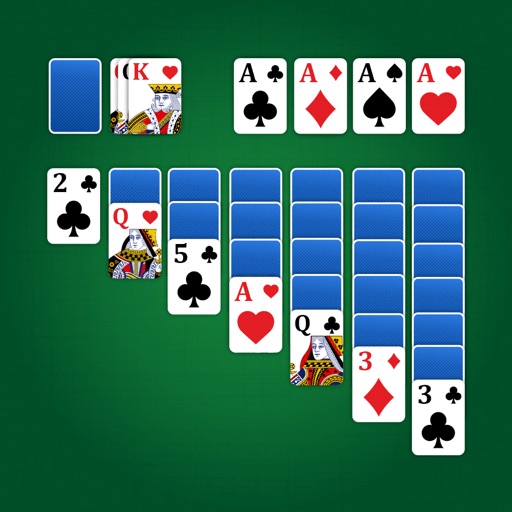
Play Klondike with classic draw 1 or draw 3 options. Tap or drag cards to move them. Enjoy HD graphics and unlimited sessions. Use helpful features to manage cards and progress.
Play with draw 1 or draw 3 modes. Drag and drop cards to move them. View a clean, easy-to-read interface. Track game progress and replay previous hands.
Play with classic rules and two difficulty levels. Choose from standard or hard mode. Use tap or drag-and-drop to move cards. Access daily challenges with new shuffles each day. Complete past daily puzzles.