
Perfect Pic—Face & Body Editor
Tinkerworks Apps
Edit photos and videos instantly
AI Face Beautifier allows users to enhance facial features, smooth skin, remove blemishes and lines, and de-age appearances.

Showing 21–40 of 1,000 ranked alternatives.
Tinkerworks Apps
Edit photos and videos instantly
AI Face Beautifier allows users to enhance facial features, smooth skin, remove blemishes and lines, and de-age appearances.

BrainCake Inc.
Edit photos with retro effects
Apply retro filters to photos for a analog look. Add light leaks, scratches, and dust textures. Save and share edited images directly.

Lux Optics Incorporated
Capture long exposures and remove crowds
Use AI to capture long exposure photos. Remove crowds, create light trails, and enhance waterfalls. Adjust exposure settings automatically. Preview and edit images with advanced tools. Share final photos directly.

SNOW Corporation
Capture and edit selfies in one tap
Capture selfies with real-time effects and filters. Apply blemish-free skin touch-ups and makeup instantly. Choose from a variety of color filters. Edit photos with one-tap styling options. Share edited images directly.
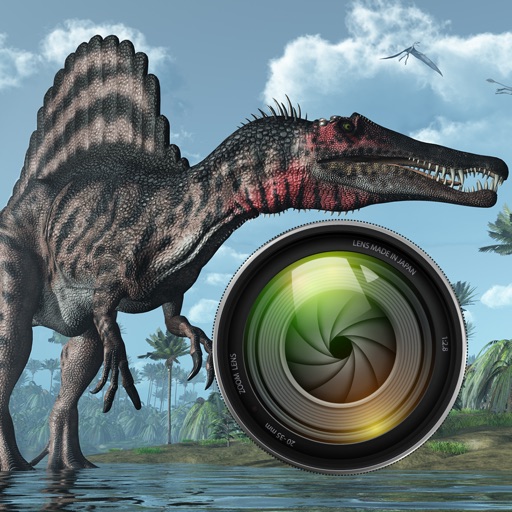
Quantis, Inc.
Add dinosaurs to your photos
Add dinosaurs to photos with tap-to-place features. Choose from over 60 species including Tyrannosaurus, Pteranodon, and Stegosaurus. Adjust positioning and scale. Export edited images directly.

Untitled Tech, Inc.
Capture photos, share moments, reveal instantly
Capture photos from multiple perspectives at . Guests scan a code or tap a link to view and take limited photos. Hosts set photo limits and manage uploads. Photos are shared the next day via a gallery. No download required for guests.


Appextreme, Inc.
Photos and apply artistic filters
Take photos and apply artistic filters such as cartoon, comic, , and oil painting styles in real-time. Adjust filter settings instantly. Export edited images in various formats. Share directly from the .

EYEPIC S.L.
Capture eye photos with AI clarity
Capture high-resolution close-up photos of your eye without a special . Use AI to identify the iris and remove blur, reflections, and noise. View detailed textures and true colors of your eye. Share the resulting image directly.

Dexati LLC
Create characters from photos
Convert photos into -style characters using AI technology. Select a photo or use the to generate avatars. Customize backgrounds, animate scenes, and share created artwork. Edit and refine cartoon faces with various styling options.

Hipstamatic, LLC
Shoot photos with filters and share them
Take photos with analog-style cameras featuring filters and film grain. Adjust exposure, focus, and white balance manually. Share images directly to social media or save to the roll.


Xiamen Suijisenlin Technology Co., Ltd.
Capture, edit, and share photos and videos
Offers advanced photography and video recording modes including photo, video, dual , triple- split screen, and depth of field.


MIOPS TEKNOLOJI ANONIM SIRKETI
Capture photos and videos with manual controls
Capture photos and videos with manual controls for ISO, shutter speed, and white balance. Shoot in RAW format for detailed editing. Apply advanced effects and instant color grading. Use professional filters to enhance visuals.

Leica Camera AG
Capture photos and videos with Look
Capture photos with signature color and style. Adjust exposure, focus, and white balance manually. Select from multiple film simulation modes. Edit images with basic tools. Share photos directly from the .

Joseph Hall
Capture moments professional tools
Capture photos and videos advanced professional tools. Adjust exposure, , and white balance. Edit images filters, cropping, and retouching. Share directly to social media or save in high-resolution formats.

Cascode Labs Pty Ltd
Stamp photos with flexible information overlays.
The app allows users to capture photos with customizable information overlays, including location, date, and comments. Photos can be stored within the app or exported to cloud services with flexible options.

REAFO CO., LTD.
Edit mosaic and areas
Create mosaic or effects on videos. Choose from four types. Adjust area by dragging or pinching. Modify blurriness with swipe gestures. Apply effects to specific sections in timeline mode.
Apps are ranked by functional similarity, category fit, rating confidence, and popularity.