Apps Like SmileFix – Face Expression for iPhone and iPad
Edit photos with AI to enhance smiles
Edit portraits with AI to add a soft smile, brighten eyes, reduce dark circles, and smooth skin. Select faces or apply edits to the entire image. Share edited photos directly.
by MUHAMMED Emin DAGDELEN★ 4.810 ratingsPhoto & VideoFreeData updated 2026-09-06
Enhance photos with AI-based clarity and detail. Remove blur and improve lighting. Edit vintage photos for modern clarity. Share enhanced images directly. Apply filters and adjust colors. Export in high-definition formats.
, people, watermarks, and blemishes from photos with a tap. Use a smart to precisely delete elements without altering the background. Adjust edges and refine details for clean, seamless edits. Export edited images in high quality.
Edit photos with skin smoothing, blemish removal, and tone adjustment. Apply makeup filters and customize lighting. Share edited images directly or save in high quality.
Edit photos with reshaping tools to adjust shape and size. Enhance muscles, waist, abs, or chest with precise controls. Retouch facial features and skin texture for realistic results. Apply filters and effects to enhance appearance.
Take selfies to analyze skin quality, estimate age, and assess masculinity or femininity. Upload photos to receive AI-generated insights. Track progress over time and explore personalized recommendations to improve appearance.
Allows users to add and edit text, remove or change backgrounds, style captions with custom fonts and colors, mirror the screen, and control the remotely. Users can record videos while reading scripts in real time.
Remove unwanted objects and people from photos with a few taps. Edit skin imions and blemishes for a smooth, natural look. Use AI-powered tools to enhance images without internet access.
Edit photos with AI-enhanced retouching, object removal, and face refinement. Adjust skin, hair, and eyes for portraits. Save high-quality images and share directly.
Edit photos with natural AI beauty effects including eye enlargement, skin smoothing, face slimming, and makeup application. Retouch body features with advanced tools. Adjust lighting and colors for realistic results. Share edited images directly.
Auto-focus and exposure adjust automatically for portraits. AI enhances depth and background blur. Use Photo Coach for real-time guidance on composition and technique. Edit photos with filters, cropping, and adjustments.
Create funny videos and photos with face and voice effects. Apply exaggerated facial features and silly voice filters. Edit face and voice changes non-destructively after recording. Share final edits directly.
Take selfies with filters and HD video recording. Edit photos with face enhancement tools and color adjustments. Add stickers and text. Share directly to social media. Record and edit videos with basic trimming options.
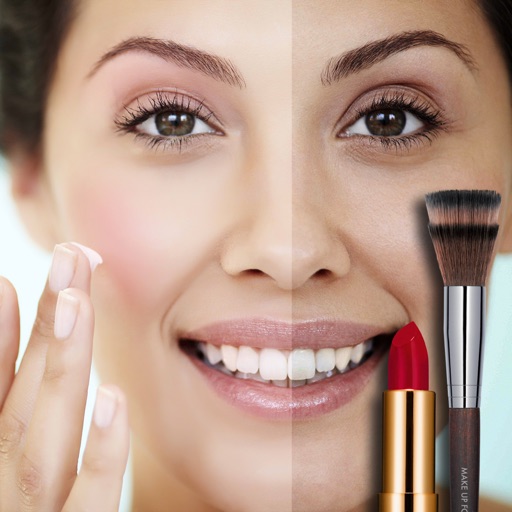
Automatically smooth and apply blush, lipstick, eye shadow, eyeliner, and mascara to portraits. Retouch faces while preserving details and texture. Perform all edits instantly without manual adjustments.
Edit images using gestures to adjust features like eyes, mouth, and face shape. Modify poses and slim facial contours with intuitive drags. Add text descriptions for AI-driven edits. Export edited photos in various formats and share directly.
Lets users adjust brightness and contrast to analyze tones in images. They can isolate light and dark areas to study shadows and highlights. Export grayscale versions for use in drawing or painting practice.
Restore old, blurry, or damaged photos using AI-based enhancement. Adjust clarity, brightness, and color. Remove blemishes and red eye. Resize and export in various formats. Apply filters and effects. Share restored images directly.
Create images using artistic styles inspired by genres like holiday themes, cute aesthetics, dramatic fantasy, retro-futuristic edits, soft dreamlike palettes, and 3D character styles. Adjust mood, details, and refine results with custom prompts.