Apps Like Interval Matrix Pro® for iPhone and iPad
See intervals, build chords, play music
Learn music theory through a visual, color-coded interface that maps intervals and scales. Identify notes and relationships instantly. Practice with interactive exercises and track progress over time. Sync with other devices for consistent learning.
by JIMMY MICHAEL HUDSON★ 5.02 ratingsEducationFreeData updated 2026-09-06
Use AI to separate vocals, drums, guitar, bass, piano, strings, and other instruments from any song. Adjust playback speed and key. Organize and share work-in-progress music. Transcribe lyrics and edit audio tracks.
Learn with real-time fingerboard interaction. Practice scales, save riffs, and jam to backing tracks. Choose between acoustic, fingered, or slap electric . Adjust settings for different playing styles and devices.
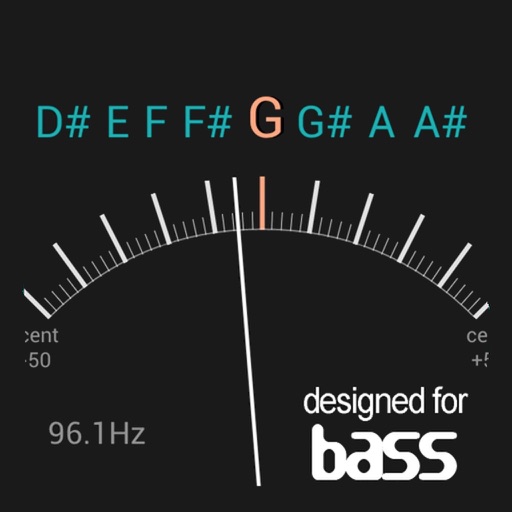
Adjust strings to precise frequencies with real-time Hz display. Access A4 temperaments between 392Hz and 466Hz. Use a virtual tuning fork and advanced settings for fine-tuning. Receive visual feedback via LED indicator and lit string display.
Tune strings with frequency display in Hz. Access chords via two swipes. Load tunings instantly for 64-bit optimization. Use tuning fork for ear-based tuning. Features LED indicator and visual feedback for string status.
Tune strings with precise frequency display in Hz. Adjust A4 temperaments between 392Hz and 466Hz. Includes tuning fork and advanced settings available via in- purchase. Features LED indicator for visual feedback and automatic string lighting.
Udio signals for up to 16 channels. Choose from four wave types: sine, triangle, square, and saw. Adjust volume per channel. View and summarize waveform settings at the bottom of the screen.
Access and scales for practice or reference. Look up and scales instantly. Play modes include chord look-up. Tune by ear feature available. Switch between right and left-handed layouts. View finger-friendly chord diagrams.
Extract and isolate vocals, piano, guitar, drums, and bass from audio tracks. Separate multiple tracks for editing. Export isolated elements or mixed versions. Adjust volume levels and apply effects to individual tracks.
The app provides blues guitarists with backing tracks in various keys and tempos. Users can adjust instrument volumes, access scales and modes for improvisation, and follow video tutorials.
Isolate and separate music tracks into vocals, drums, bass, piano, and other instruments. Save and export tracks to DAWs. Adjust volume, panning, and playback speed for each track. Edit waveforms to select specific regions.