
Clipboard Viewer Editor
SHIGETO TAKAGI
View and edit clipboard content easily.
The app allows viewing and editing clipboard content. It facilitates pasting text from the clipboard and copying text to it.

Showing 241–260 of 1,000 ranked alternatives.
SHIGETO TAKAGI
View and edit clipboard content easily.
The app allows viewing and editing clipboard content. It facilitates pasting text from the clipboard and copying text to it.

Mert Can Kus
Text across languages instantly
Scan text from images or documents and it to your clipboard. Supports multiple languages including English, Spanish, French, and more. No file saving or translation features.

Saga Ltd.
Create videos from text or photos
Generate videos from text prompts or photos. Transform images into dynamic videos. Combine AI models for enhanced results. Create shorts and reels without editing skills. Export in various formats.

Kappz LLC
Take notes with dark theme and custom
Take notes with a dark theme interface and customizable font options. Switch between light and dark modes. Preview notes, view modification dates, and open notes in external apps. Use a new shortcuts toolbar for quick access.

Favs HQ, Inc.
Type, edit, and draft with AI assistance
AI-powered with built-in chat features for crafting social media posts, emails, and documents. Smart clipboard stores copied text for easy access. Quick swipe to share links or open saved items.


IKONIC DEV LLC
Scan, print, convert, and sign documents
Print documents wirelessly to AirPrint-enabled printers. Scan and convert documents to PDF. Add e-signatures to files. Share scanned documents via email or cloud services. Organize and manage files in a centralized digital workspace.


Hirokazu Uno
Copy and share it securely
Display the of the device on the screen and allow copying it to the clipboard. Provides a simple interface for accessing and copying the identifier.


Martin Wellard
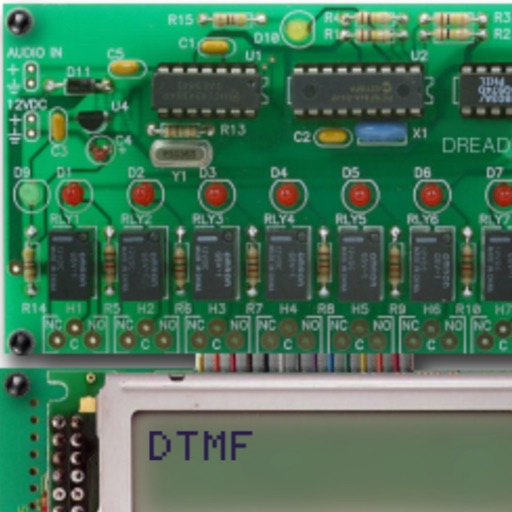
Decoder for telephone touch tones.
The app turns an iPhone into a DTMF decoder. It displays decoded digits from DTMF tones, which can then be copied to the clipboard.


James Griffin
Draw notes and sketch ideas freely.
The app replaces the Mac desktop with a drawing surface for notes and sketches. Users can draw freely with multiple pens, add text, and export doodles in various formats.

Apps are ranked by functional similarity, category fit, rating confidence, and popularity.