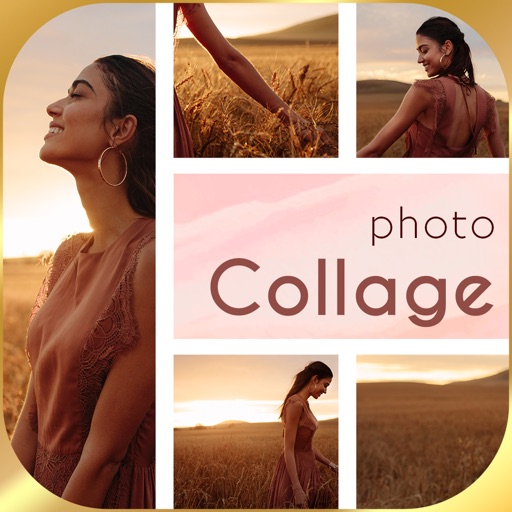
Create a visual goal board using customizable templates with multiple photo areas and collage designs. Add images, text, and organize content to reflect personal aspirations. Save and share boards to track progress and stay motivated.
by Arda Adalar★ 5.01 ratingsLifestyleFreeData updated 2026-09-06
Create collages by selecting multiple images and arranging them in different grid layouts. Add frames from a collection of 100+ designs to enhance images. Build personal stories by organizing photos and sharing them directly.
Create boards with AI-generated images featuring your uploaded photo in ideal scenarios. Add personalized affirmations to reinforce goals. View progress over time as AI updates boards based on user input.
Add text to photos with customizable fonts, colors, sizes, and borders. Include stickers and background colors for creative expression. Share directly to social media platforms. Supports multiple languages including Arabic, , Persian, and Hindi.
Set goals and visualize achievements with guided lessons. Track progress through habit tracking and reminders. Receive motivational and affirmations. Access positive affirmations and mindfulness exercises to stay focused and inspired.
Create mood boards and organize reference images with smart asset management. Pick precise colors and collage freely. Edit across iPhone, iPad, and macOS with unlimited canvas and batch processing.
The app allows users to post photos to Instagram without cropping. It functions as a photo collage maker with numerous layouts and editing tools for sharing moments.
Create collages by selecting layouts, adding photos, and personalizing with frames or templates. Arrange images in grids, freestyle, or pre-designed templates. Share directly to social media or messaging apps.
Create by selecting images from your photo library and applying preset layouts. Add titles to images and save or print the board. Includes layout options for standard paper sizes.
AI-powered photo curation selects and crops images from your album. Users can customize timelines to explore photos. Intelligent cropping allows sharing as live wallpaper, collage, composite, or individual images.
Create posters and posters using pre-designed templates. Choose from thousands of options for business, social media, or events. Customize text, colors, and layouts. Export in various formats and share directly.
Create Instagram stories with customizable templates, filters, stickers, and fonts. Select from a variety of designs, add visual effects, and personalize text formatting. Share finished stories directly to Instagram.
Edit spaces by describing changes, such as remodeling layouts or adjusting decor. Use tools like prompt, style, furnish, paint, and erase to refine designs. Visualize furniture and decor styles through AI-generated images.
Create collages by combining multiple photos from the gallery. Choose from various frames and themes. Apply filters to enhance images. Share collages directly to social media platforms. Edit individual photos with cropping and adjustment tools.