Apps Like AI Infographic Maker for iPhone and iPad
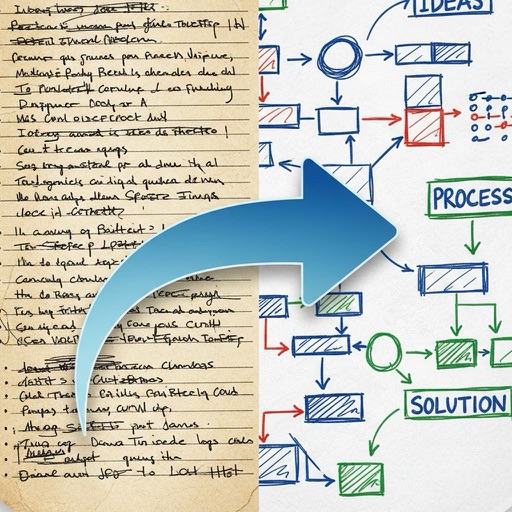
Convert text to infographics
Create infographics, diagrams, timelines, charts, mind maps, and visual summaries from text or PDF files. Automatically structure content into professional layouts.
by Omer Erdem Aydemir★ 5.01 ratingsGraphics & DesignFreeData updated 2026-09-06
Create visual diagrams, maps, flowcharts, and outlines to organize ideas. Add notes, links, and images to nodes. Export as PDF or image. Share maps with others. Sync across devices. Customize themes and layouts.
Create collages and grids from photos and videos. Choose from 100+ templates or design custom layouts. Add frames, adjust elements, and save or share finished projects. Export for print or social media platforms like Instagram and TikTok.
Create intelligent sketches and drawings with layer management. Add markup for communication. Work through all design phases with fluid tools. Support for architectural and industrial design workflows.
Access with search and filtering options. Read condensed versions of sellers and new releases. Share via social media or email. Track reading progress and set reminders for daily reading goals.
Create diagrams such as flowcharts, mind maps, and floor plans. Use a rich shape library with preloaded templates. Drag and drop shapes to build diagrams. Support for multiple diagram types including UML and data flow diagrams.
Create social media content by selecting from hundreds of . Import images or videos to customize designs. Add text, graphics, and effects to enhance visuals. Export and share content directly to social platforms.
Create and edit photos and videos with text, stickers, logos, and elements. Add Arabic and English language support. posts, ads, event invitations, and animated stories. Sync with Apple Health.
Create personalized learning plans with AI-generated summaries. Build interactive mind maps to visualize concepts. Engage in conversational chats to discuss topics.
Record lectures, transcribe notes, generate summaries
Transcribe lectures, meetings, and presentations into organized notes. Generate summaries from recordings and YouTube videos. Highlight key points and structure content for active learning. Sync notes across devices and access them offline.
Create handwritten with customizable pens and highlighters. Annotate and markup PDFs. Record audio . Use AI to enhance note-taking. Organize with folders and tags. Sync across devices. Export in multiple formats.
Listen to music and videos with playback controls. Transcribe audio into text using AI tools. Adjust equalizer settings. Record and save original audio. Access public domain music library. Generate smart summaries of audio content.
Access health and wellness content through videos, audio clips, and infographics. Search by keywords or categories to find relevant tips. Receive notifications for new videos and updates.
Take notes by hand and convert them into flashcards or quizzes using AI. Organize notes by subject or course. Highlight key ideas and search for specific content. Study with summaries, flashcards, and quizzes without switching apps.
Create images from text prompts with AI. Generate realistic photos, bold art, and layouts. Edit images to adjust details, extend scenes, or remove backgrounds. Design logos, headshots, and marketing materials.
Convert spoken words into structured notes with voice-to-text transcription. Create meeting summaries and study materials using AI -taking. Organize information with an intelligent that links related content and suggests insights.
Create collages by combining photos, adding stickers, and applying effects. Choose from multiple layouts and templates. Edit images with cropping and filters. Share finished collages directly to social media.
Create AI-generated videos and images from text, images, or voice. Use LoRA training to develop custom styles. Generate cinematic videos from text. Edit and export final outputs. Add text, stickers, and filters to videos.