Record and save voice notes with high-quality audio. One-tap recording and replay. Organize files locally. Share notes directly. Access optional premium features for extended use.
by Can Abdiyev★ 0.00 ratingsMusicFreeData updated 2026-09-06
Play along to songs in music library using the built in music player. Access three kits with additional kits available via in- purchase. Adjust tempo and sync with audio. Record and replay performances.
Play chords and melodies using a tactile keyboard interface. Hold buttons and swipe or tap to create sounds. Access chords and notes via a grid for precise selection. Adjust pitch, harmonize, and apply real-time audio effects.
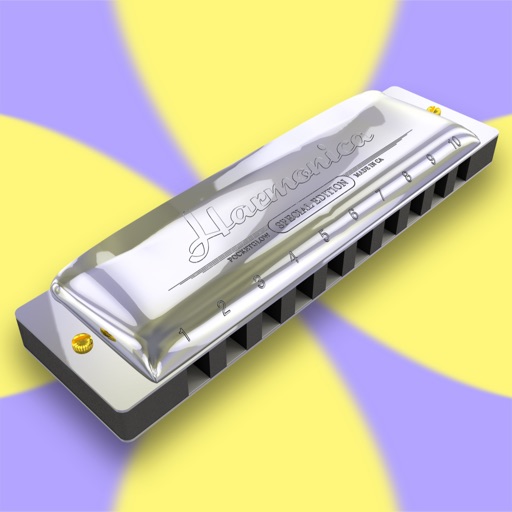
Play melodies using a sampled 10-hole diatonic . Access single notes, chords, blow, draw, and bend sounds across all 12 keys. Touch the screen to play without blowing. Record performances and share them directly.
The app records audio in real-time using a loop recording echo. It features six channels of random phonetic audio, studio quality reverb, and mono WAV 44.1 recording.
The app allows users to record personalized messages with voice pitch and background adjustments. Subscription options provide unlimited access to premium content, including more characters and ad removal.
Record and visualize pitch with a scrolling graph display. Adjust temperament settings to Equal, Just, or Pythagorean. Store recorded sessions for review. Compare played notes against reference tones.
The app offers a musical experience with eight glowing instrument sounds including piano, drums, and guitar. Users can record their music and replay it with different instruments.
Room game with tap-only controls for navigation and puzzle-solving. Access hints when stuck and use a memo feature to organize clues. Auto-save progress for uninterrupted play. Features 3D graphics and ambient music.
The app allows users to reverse audio, including their voice or songs from a library. It offers control over pitch and speed for creating unique sound effects and sharing backwards audio challenges.
Upload tracks to connect with artists and producers. on projects by sharing files and commenting. Receive feedback and suggestions from other users. Export final mixes and share directly. Track project progress and communicate in real time.
Create and manipulate audio using synthesis. Import WAV files, record audio, or live-process sound. Adjust parameters for texture, pitch, and timing. Export and share custom audio creations.
Record and it instantly for creative playback. Edit reversed sounds, adjust pitch, and export clips. Share reversed directly to social media platforms. Practice backward or create unique sound effects.
The app offers guitar and bass tuners with automatic pitch detection and reference notes. An optional upgrade provides a chromatic tuner, a chord dictionary with audio, and a metronome with tempo markings.
Adjust files by changing tempo and pitch in real time. Select files, mark playback regions, loop, and adjust and pitch on the fly. Export modified files. Suitable for practicing instruments, transcriptions, and audiobook adjustments.
Turn your phone into a for karaoke or audio recording. Connect to speakers or devices wirelessly. Adjust volume and settings directly from your phone. Record clear audio without cables. Stream voice in real time during performances or calls.
The app provides a multitrack digital recording studio for iPhone. It allows users to record multiple takes, mix tracks, and includes a synthesizer with an onscreen keyboard.