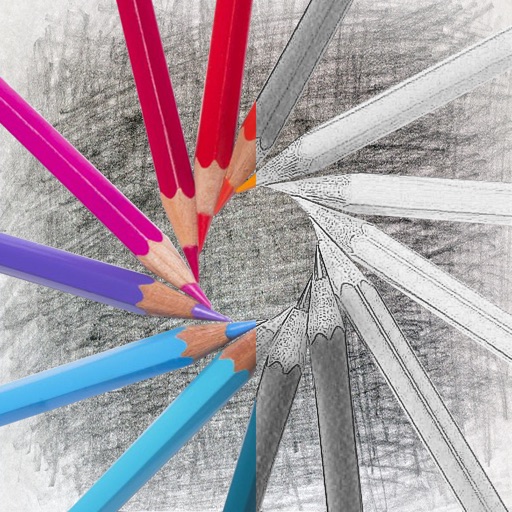
Convert photos into sketches with tone drawing engine. Adjust pen color, size, and background. Generate strokes with transparent backgrounds. Save sketches in original size and colorize with original colors.
The app offers over 20 drawing tools that mimic real-life implements, including wet and dry watercolor brushes. It features a tracing projector, precision tools like rulers and shapes, and full layer support for creating detailed artwork.
Allows users to draw and explore with infinite scroll and . Create digital artwork using Apple Pencil support. Adjust brush settings for precision. Save and export drawings in various formats. Collaborate in real-time with others.
Detailed artwork with customizable brushes and specialized toolsets for sketching, painting, and doodling. Access advanced AI features to enhance creative workflows. Export and share finished projects directly.
Create digital artwork with realistic painting and drawing tools. Use exclusive brushes mimicking real-world art mediums. Simulate fluid watercolor effects. Adjust brush settings for precision. Export artwork in various formats.
Create artwork using vibrant neon colors and glowing brushes. Draw on a large canvas with sketch tools. Adjust effects and export designs in various formats.
Create art with layers and animation support. Use a variety of tools for detailed design. Add background music to animations. Export videos in MP4 format. Sync projects via Google Drive. Join a community for feedback and collaboration.
Design with precision, edit vector graphics, create
Create illustrations, branding, logos, and UI/UX designs. Edit vector graphics and raster images. Apply filters, adjust colors, and add text. Export in multiple formats and share directly. Sync with desktop versions for seamless workflow.
Edit designs, process files, and control laser machines wirelessly. Snap images for processing without a computer. Curve text with drag-and-click. Generate barcodes and manage projects across devices.
The app allows users to create animated glow art in 3D using various brushes and a full spectrum of colors. Users can pan, zoom, and spin their creations, record videos, and utilize symmetries up to 64.
Characters, objects, and animals through step-by-step tutorials. Choose from various art styles including doodles and detailed illustrations. Compete in multiplayer battles. Save and share creations. Adjust brush settings and color palettes.
Create logos, icons, and illustrations using tools. Combine pre-designed elements to build complex graphics. Cut, merge, and intersect shapes. Manipulate layers for detailed design control. Export in multiple formats.
Create realistic artwork with pencil, brush, pen, and marker tools. Import images as layers and edit with eraser, ruler, compass, and other tools. Add stickers and use layer management for detailed painting and design.
The app converts photos into pencil sketches and offers a collection of coloring pages. Users can select photos from their album or take new ones with the camera to create sketches.