Objects and spaces using augmented reality. Tap to place a virtual and get precise distance readings. Share measurements directly or save them for later reference. No physical tools required.
Remove unwanted people and blemishes from photos or videos by painting and erasing. Edit images with AI tools, add text, filters, and effects. Adjust facial features like face shape, forehead, chin, and cheeks.
Edit photos with skin smoothing, teeth whitening, and facial reshaping tools. Remove blemishes and wrinkles. Add makeup, tattoos, and muscles. Apply filters and adjust colors. Save and share edited images directly.
Upload artwork to generate mockups in interior design settings. Customize colors, frames, and layouts. Share mockups to Instagram, Etsy, and other social media platforms.
Create custom grids over reference images or drawing surfaces. Set grid dimensions and adjust spacing. Transfer intricate details square by square. Export drawings in multiple formats. Share directly from the .
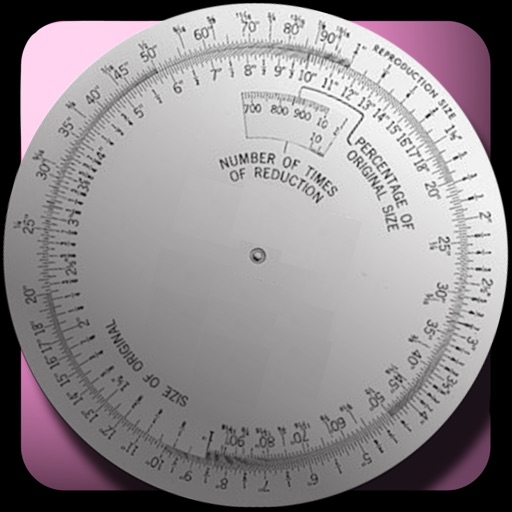
The app calculates new image dimensions while maintaining aspect ratio to prevent distortion. It offers fraction and percent modes, and an image scale tool for precise pixel sizing with a preview.
Edit photos and enhance facial features automatically
Edit facial photos with automatic retouching, skin smoothing, and imion removal. Enhance eyes, remove red eye, and whiten teeth. Automatically improve multiple faces in a single image. Adjust colors for a natural look.
Create collages by combining pictures, videos, or a mix of both. Choose between sequential or delayed video playback. Use built-in layouts or design custom ones. Select from 1:1, 9:16, 3:4 ratios or set custom proportions.
Edit photos and videos with face retouch, skin smoothing, and reshaping tools. Apply filters and use AI-powered features like hairstyle adjustment and object removal. Enhance image quality and correct camera distortion. Share edited content directly.
Resize and crop photos by setting custom vertical and horizontal ratios. Select and trim multiple images with swipe gestures. Adjust photos in two modes: proportional cropping or adding color margins to fill missing areas.
Dimensions using phone camera. Identify garment type automatically. Store measurements in organized format. Share measurement images directly. Export data for resale listings.
Measure distances, heights, and angles using AR measure, ruler, and level tools. Create floor plans and calculate areas. Take screenshots, use flashlight, and chain measurements. Switch between imperial and metric units.
Edit photos with multiple camera models simulating DSLR, iPhone, and film styles. Use AI to enhance natural features and apply various portrait styles. Save money by avoiding camera purchases.