Apps Like Scientific Calculator + for iPhone and iPad
Calculate, solve, and analyze equations
Perform complex calculations with functions including trigonometry, hyperbolic operations, and logarithms. Use memory functions, angle modes, and constants like π and e. Evaluate expressions with parentheses and view calculation history.
by Kyle Bartlett★ 0.00 ratingsUtilities$0.99Data updated 2026-09-06
Perform calculations with fractions, trigonometric functions, statistics, and exponential/logarithmic operations. Use exam mode for test environments. Replace traditional calculators with this tool for math and science learning.
Solve problems with a scientific supporting arithmetic to calculus. Use photo to scan and solve equations. Access an AI homework helper for step-by-step solutions. Perform unit conversions and function calculations.
™ allows users to perform fraction calculations and convert between decimals and fractions. It supports degree, minute, and second conversions. Users can handle unit conversions and calculations with dimensional units.
Calculator lets users perform basic and scientific calculations with over 30 functions. Switch between portrait and landscape modes. Customize leather color and background texture on iPad. Take notes or draw directly on the interface.
Plus allows users to perform basic math operations including addition, subtraction, division, multiplication, squaring, and square root. It features large buttons, clear numerals, and horizontal mode for additional controls.
Perform complex calculations with scientific formulas and unit conversions. Access calculation history via Spotlight and 3D Touch. Use widgets for quick access and history integration. Sync with Apple Watch for notifications and basic calculations.
Calculate with trigonometric and exponential functions
Store values by pressing "STO" and selecting a memory slot. Perform basic arithmetic and advanced mathematical functions including sine, cosine, logarithm, and exponential.
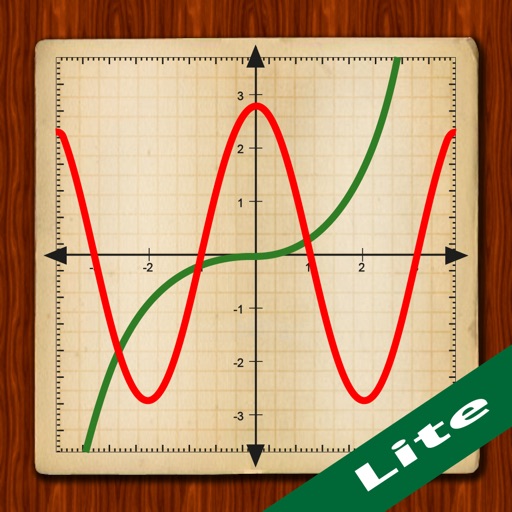
Scientific calculator with powerful graphing functions.
The app provides a scientific calculator with a history tape and graphing capabilities for up to four functions. Users can zoom, pan, and trace graphs, and view function values in a table.
Calculate using functions including sin, cos, tan, and their inverses. Convert units with 136 converters. Access daily updated currency exchange rates. Perform algebraic calculations with 800+ formulas. Switch between degrees, radians, and grads.
Calculate measurements and perform unit conversions for projects. Perform trigonometric calculations and angle measurements. Access a full user guide and use built-in formulas for precise calculations.
Scientific with and conversion capabilities. Perform complex calculations, convert currencies, and switch units. Review and reuse calculation history. Use landscape mode for efficient input and history viewing.
Offers standard and advanced math functions including percent, negative sign, memory, brackets, and history. It includes trigonometry, roots, exponents, and logarithms.
Allows users to perform basic and scientific calculations. It supports arithmetic operations, square roots, percentages, and trigonometric functions. Users can edit expressions with a movable cursor and view calculation history.
The provides scientific calculations, unit conversion, and logic-based computations. Users can switch between modes. It includes a built-in manual for operation guidance. Perform n-base conversions and unit-based calculations.
The app performs mathematical, engineering, scientific, and technical calculations. It handles fractions, mixed numbers, decimals, and integers with various functions including trigonometric operations and constants.
Calculate with dual-line display and multi-line input
A with dual-line display showing input and result. Supports multi-line equations and tap-to-move cursor. Saves calculation history with timestamps and labels. Allows emailing calculations and swiping to review past entries.
Perform complex calculations with scientific functions and engineering tools. Input equations, use memory functions, and switch between degrees and radians. Save results and view calculation history.