
Sketch Trace Draw, AR App
Proxglobal Investment And Technology Development Joint Stock Company

Draw, sketch, save creations
Create sketches and freehand drawings with adjustable brush sizes and colors. Save creations to device. Use full-screen drawing area for artistic notes or quick doodles.
Showing 141–160 of 1,000 ranked alternatives.
Proxglobal Investment And Technology Development Joint Stock Company


ibis inc.
Draw and edit vector graphics
Create digital artwork with drawing tools, brushes, and materials. Use filters, screentones, and blending modes. Import images and vector graphics. Save and share drawings. Access additional features with an in- purchase.
Ketanbhai Khokhani
Trace images and create sketches
Trace images to create sketches or drawings. Adjust line thickness and brush styles. Use an eraser tool. Apply filters to images. Select from gallery or take new photos. Draw on paper with phone held 1 foot above.

丽东 陈
Children explore art and creativity joyfully.
The app supports artistic development for children aged 0-6 with over 800 materials like fruits, vegetables, and characters. It enhances motor skills and creativity through simple lines and vivid images, aligning with preschool curricula.

P98 LLC
Create, edit, and share images
Create and edit images with basic drawing tools. Draw freehand or use shapes and lines. Add text and colors. Save and share drawings directly. Import and modify existing images.

Bonobo Pte Ltd
Sketch, , plan, share
Take notes, sketch, and plan in a single with realistic ink and paper. Create custom tools and choose from colored paper types. Collaborate on documents and sync notes across devices. Write and draw with infinite width pages.
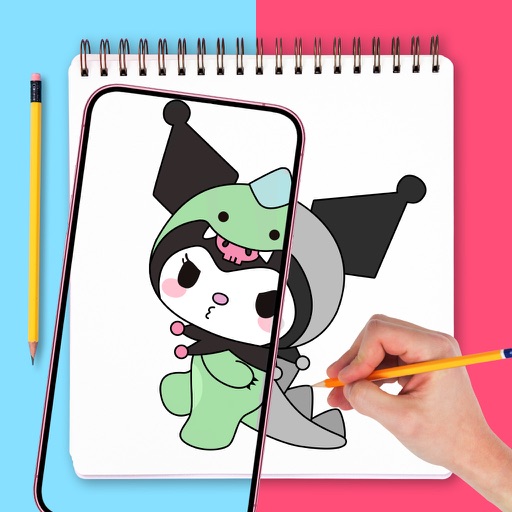
TVGSOFT LIMITED
Draw with confidence, with precision
Use augmented reality to draw on any surface. Trace outlines, adjust colors, and add textures. Save and share drawings. Access tutorials for beginners. Export in various formats.


Joao Victor Flores da Costa
Edit photos and add stickers
Edit photos with filters, contrast, brightness, and color adjustments. Add text, stickers, and drawing tools. Customize images and landscapes. Export in high quality. Access a free image library. Apply advanced editing features.


Aige Technology Wuhan Co.,Ltd.
Draw, , and edit images
Draw and with customizable brushes and layers. Edit images with adjustment tools and filters. Import and export files in various formats. Use gesture controls for quick navigation and editing.


Envoza Ltd
Draw vector art with precision
Create vector artwork on iPad with precise drawing tools. Align objects to grids, paths, or points. Scale and rotate multiple objects in real time. Use masks to cut out elements from artwork or photos. Position text at any angle or along paths.


Apps are ranked by functional similarity, category fit, rating confidence, and popularity.