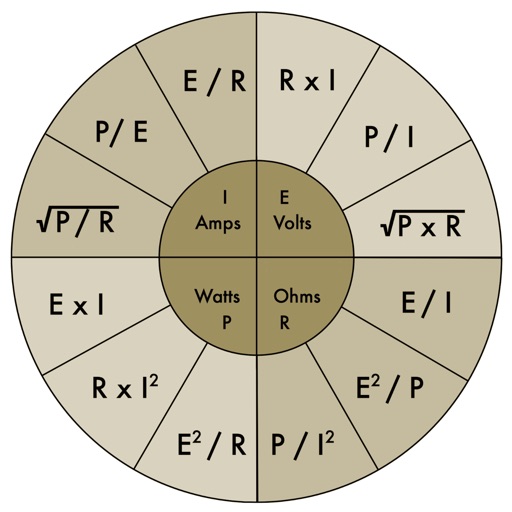
The app provides an electronic pocket reference guide for electrical professionals. It includes sections on motors, wiring, ampacities, grounding, voltage drop, conduit bending, tools, and safety.
Calculate areas, solve trigonometry, and complete homework
Complete homework tasks with offline access and tools. Calculate areas and use basic and trigonometry calculators. Convert units and solve first- and second-degree equations. Additional features will be added soon.
Simulates a programmable scientific calculator with RPN input. Features a 10-digit LED display, four stack registers, and ten storage registers. Includes math, trigonometric, and statistical functions.
The app allows users to design spreadsheets for planning, organizing, or analyzing data. Users can add labels, numbers, and functions to cells, and perform calculations.
Perform calculations with a multi-line display that supports complex expressions and order of operations. Edit equations, save history, and switch between and basic modes. Share results via copy or email.
Perform calculations by entering expressions naturally. Receive step-by-step solutions and results in , mixed , or number format. Simplify fractions, convert between formats, and calculate percentages, powers, roots, and logarithms.
Perform basic arithmetic operations, including addition, subtraction, multiplication, and division. Use parentheses for complex calculations. Switch between light and dark themes for better visibility.
Solve complex equations with trigonometry, logarithms, powers, and factorials. Graph functions instantly in DEG/RAD mode. Switch between scientific and graphing modes. Store and recall equations. Export graphs and calculations.
Simulate calculations with a full-featured TI BAII Plus emulator. Perform time value of money, cash flow, and bond calculations. Store and retrieve data. Access formulas and functions. Export results and review history.
Perform complex calculations with scientific, graphing, and programmer modes. View graphs and equations. Use the Today widget for quick access. Unlock advanced features with in- purchases. Reinstall to reset trial periods.
Calculates with multiple modes and customizable settings
The app provides multiple calculation modes for various mathematical tasks. The app includes customizable interfaces and widgets for convenient use across devices.
A a log of all calculations. Displays input equations and results clearly. Includes backspace function. Allows adjustable keyboard size and number font size. Supports customization of decimal places, font size for , and display format.
Capture problems via photo, solve them with AI and detailed steps, and generate practice questions for reinforcement. View solutions and explanations for various topics.