

Apps Like SmartClick TV Remote Control for iPhone and iPad
Ranked alternatives
Showing 21–40 of 1,000 ranked alternatives.

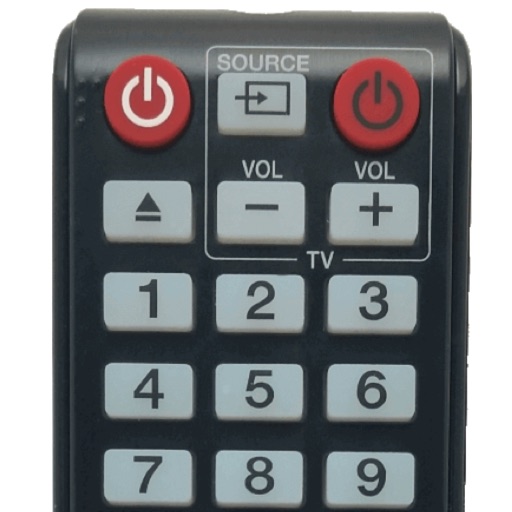
Sam : tv remote for Samsung
yohan teixeira
Control your TV with a tap
Control your smart TV with channel switching, volume adjustment, menu navigation, and media management. Automatically syncs via Wi-Fi without setup. Supports all original features from your iPhone or iPad.
Remote for Samsung
Oz Shabbatth
Access instantly, swipe quickly, design intuitively
Save your last layout for quick access upon reopening. Use a fast touch pad and keyboard for swift navigation. Features an intuitive design with a clean and user-friendly interface.

Remote Control TV & TV Plus
SHADOW UNIVERSE L.L.C.
Your Smart TV remotely
Smart TV functions via smartphone or tablet. Navigate menus, adjust volume, change channels, and manage playback with touch or gesture commands. Access streaming services and customize layouts.

TV Remote & Universal Control™
To Ngoc Mai
Your TV and streaming apps
TVs and connected devices with a single . Adjust volume, change channels, and navigate menus. Access on-screen keyboard for input. Pair with Bluetooth devices. Manage playback and settings remotely.
Remote Control TV: Universal
Caitlyn,N Mackos
TVs with your iOS device
Compatible TVs via Wi-Fi network connection. Tap, swipe, or speak to operate TV functions. Instantly pair with all compatible TVs. View and adjust settings like volume, input sources, and power.

Universal TV Remote Control
Codematics Services
Your TV with your iPhone
Your TV using an iPhone without a physical . Connect to the same Wi-Fi network for automatic discovery and instant pairing. Adjust power, volume, mute, and input selection. Navigate menus and access installed apps directly from the iPhone.

Samsung Smart TV remote myTifi
Martijn Koopman
Control TV with gestures and custom buttons
Control your TV with swipe gestures on iPhone, iPad, or Apple Watch. Launch TV apps instantly using customizable buttons. Navigate the web browser with a touchpad and keyboard. Adjust volume and channel with swipe gestures.

Remote for Vizio - Smart TV
Rashed Saifullina
Power your TV on or off remotely
Control your TV remotely by turning your smartphone into a universal . Power the TV on or off, change channels, adjust volume, and navigate menus with touch gestures. Connect seamlessly for consistent performance.


Smart TV Remote for Samsung
Companjen Apps B.V.
Control your TV with your phone
Control your TV using your iPhone as a . Connect once and the remembers your TV. Launch and control favorite apps. Use an intuitive interface with a fast keyboard. Auto-detects TVs on the same Wi-Fi network.


Universal Remote・TV Control
Ozuna Limited
Your TV and smart home devices
TV functions with button layouts matching popular brands. Adjust volume, channel, and input settings. Manage smart home devices via integrated controls. View device status and receive notifications. Switch between multiple devices and profiles.

Remote for Roku - TV Control
Ihor Bilous
TV apps and adjust volume
TV functions via smartphone without a physical . Change channels, navigate menus, and manage launches. Adjust volume, pause, and rewind content. Connect to TV over Wi-Fi on the same network.

Remote for Samsung TV: Gapster
Gorak Markovic
Control your TV with a mobile
Control TV functions like channel changing, volume adjustment, power on/off, and more. Use built-in keyboard for typing and searching. Connect via Wi-Fi for operation.

Universal Remote: TV Control・
UNIVERSAL REMOTE LABS COMPANY LIMITED
Control devices with your phone
Control devices from your phone with one . Manage Smart TVs and streaming boxes remotely. Switch channels, adjust volume, and access favorite apps instantly. Pair quickly with major brands like Samsung, Roku, and LG.


Remote, Mouse and Keyboard
Remote Sunrise LTD
Control devices with one
Control Apple TV with on-screen buttons, volume, and playback functions. Navigate menus and apps using a virtual remote. Pair via Wi-Fi or Bluetooth for wireless operation.

Remote Control for TV Smart
Talbot Lail
TV playback and adjust volume remotely
Allows users to adjust volume, change channels, and playback. Launch apps, navigate menus with swipe gestures, and type using a phone keyboard. Connect via Wi-Fi for quick pairing.
How we rank alternatives
Apps are ranked by functional similarity, category fit, rating confidence, and popularity.