Edit with 16 tracks, 20+ effects, and lossless output. Use AI to separate vocals and instruments locally. Record with minimalistic interface. Zoom and adjust waveform for precise editing. Export and share edited files directly.
Customize charts, change key, add annotations, save
Customize music charts by changing key, capo, chord display, and layout. Add annotations to songs. Save and recall chart settings. Integrate with RehearsalMix for adjusted audio playback. Access charts via a content subscription.
By slowing down without pitch change. Loop sections for focused . Isolate vocals, drums, and instruments using AI. Record own . Control playback with Bluetooth foot pedal. Import songs or use Apple . Adjust speed, pitch, and BPM during .
The app manages song collections with lyrics and chords for musicians. It offers features like chord variants, transposition, auto-scrolling, and metronome support.
Edit songs by changing key, speed, or rearranging sections like verses and bridges. Add lyrics manually. Create custom playlists and save song arrangements for performances.
With an 88-key virtual keyboard. Switch between single-row, double-row, and double-player modes. Use multitouch and force touch for responsive input. Adjust keyboard width.
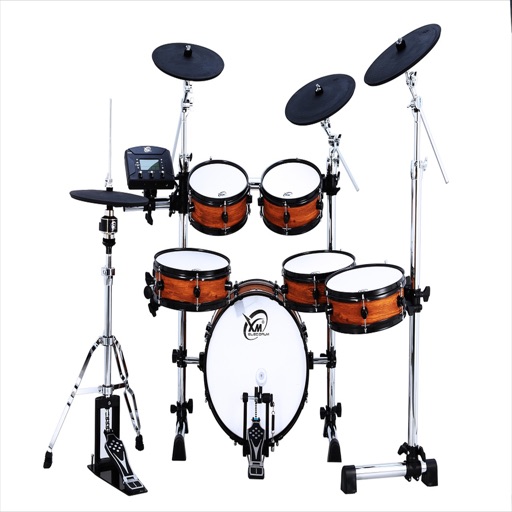
The app offers 8 realistic drum sounds and instruments including kick, bass, snare, and cymbals. It supports multitouch and simultaneous song and drum playing.
The app allows users to play back multitracks, loops, and click tracks for worship or rehearsal. It offers features for changing song keys and tempos, customizing arrangements, and managing setlists with click track metronomes.
Convert songs into playable chord charts using YouTube links or uploaded audio files. Access pre-loaded chord charts for top tracks. Get instant chord progressions with AI analysis. Share or save chord diagrams for later use.
Drum beats with realistic sounds and responsive controls. Tap to trigger kick , cymbals, or snares. Practice rhythms and track progress. Share performances and customize drum kits.
Play music files from your media library. Adjust pitch and tempo using sliders. Listen to modified versions of songs. Supports various audio formats. Note: DRM-protected files may not function properly.
Upload audio tracks to separate vocals from backing music using AI. Export instrumental versions for karaoke or remixing. Edit and share the resulting tracks directly.
Edit audio files with waveform visualization. Change playback and pitch independently. Record and save modified audio. Separate stems to isolate vocals, guitars, or drums. Create backing tracks or practice isolated instruments.
Record and podcasts using software instruments, loops, and voice recording. Collaborate in real-time with others via chat. Save projects in the cloud and access them across devices. Edit audio tracks, add effects, and export files directly.
Record vocals with high-quality audio capture and multi-track editing. Organize library with smart tags, version control, and AI BPM/key detection. Share playlists securely with custom artwork and real-time analytics.
Create drum sounds and synthesize vocals using a 24-part sound engine. Use a pattern sequencer to arrange beats. Apply effects including a Phrase Vocoder that converts text to vocal-like sounds. Adjust vocal characteristics such as gender.