Boost for music, videos, and streaming apps with a single tap. Enhance audio clarity and strength without distortion. Adjust sound levels for calls and games. Amplify device beyond default limits safely.
by Ripan Hossain★ 5.01 ratingsMusicFreeData updated 2026-09-06
Adjusts audio to enhance clarity and volume. Captures sound via microphone. Allows customization of sound settings. Enables to conversations and media with improved audio quality. Supports direct audio transmission to devices.
Adjust sound frequencies for optimal audio quality. Support multiple audio and video formats. Play songs enhanced clarity. Sync device settings for efficient performance.
Set alarms and timers using YouTube . Choose a video to play during wake-up or . Control playback with a built-in player. Access a library of for waking up or falling asleep. Requires internet connection for video playback.
Control compatible and Elite devices to play music in individual or all rooms. Adjust volume, select input sources, and manage playback settings. View device status and access playlists directly from the .
Create and customize rhythms with three drummers offering modern, classic, and contemporary styles. Export multi-track or full mix audio via MIDI. Access over 60 bass lines in iBassist. Adjust delay and reverb effects for sound shaping.
The app provides remote control for select Classé audio products. Users can manage system selection, volume, source, and audio settings like balance, bass, and treble over a Wi-Fi network.
Manage collections from YouTube, Apple , iPod, PC, and cloud storage. Adjust bass, treble, and equalizer for enhanced sound quality. Play queue with add, delete, and organize song capabilities. Access 100K radio stations.
Adjust music tempo to control playback speed. Customize equalizer settings to shape sound preferences. Add reverb effects for enhanced depth. Sync with Apple Music for personalized audio experiences.
Set custom levels for media types. Save preferred settings to home screen for quick access. Adjust for sounds, videos, music, and audiobooks. Manage favorites and provide feedback for new features.
Edit videos by swapping microphones for different sounds, cutting into tracks, adjusting volumes, and adding reverb. Assign unique settings to each track. Export as original size, compressed for sharing, or extract only.
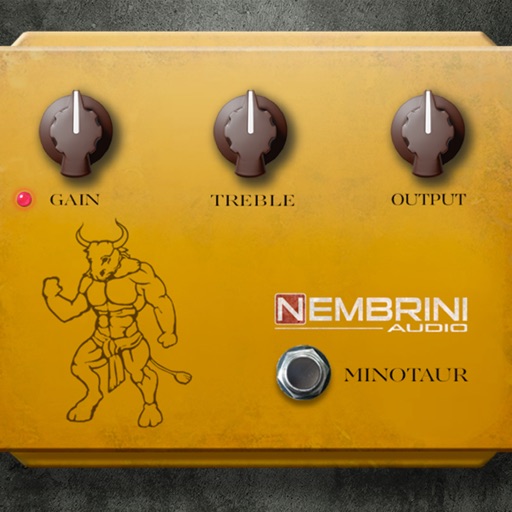
A guitar pedal simulation. Adjust gain, volume, and tone knobs to shape sound. Add clean boost with minimal tonal change. Drive input valve for enhanced signal. Supports pedal-like controls and real-time sound customization.
Create using audio loops and 150+ sound packs. Apply digital effects, control pitch and reverb. Adjust volume, BPM, and save or share tracks. Record voiceovers and one-shot beats for custom mixes.
Adjust audio frequencies with a 10-band covering 60Hz to 16kHz. Apply real-time adjustments for bass, mids, and treble. Visualize audio with dynamic graphics. Import and play local files or stream audio directly.
Generates tones between 0 Hz and 25 kHz to remove dust and from speakers. Users can manually set frequencies and adjust cleaning duration. It tests performance and clears debris for improved audio quality.