Your to see how photos will appear in your grid before posting. Drag and drop images to rearrange them. Maintain a consistent style across your content.
by Osauhing Remintor★ 5.01 ratingsPhoto & VideoFreeData updated 2026-09-06
Edit photos using AI tools to add, remove, or modify elements. Describe edits in natural language for automatic adjustments. Export edited images in various formats and share directly.
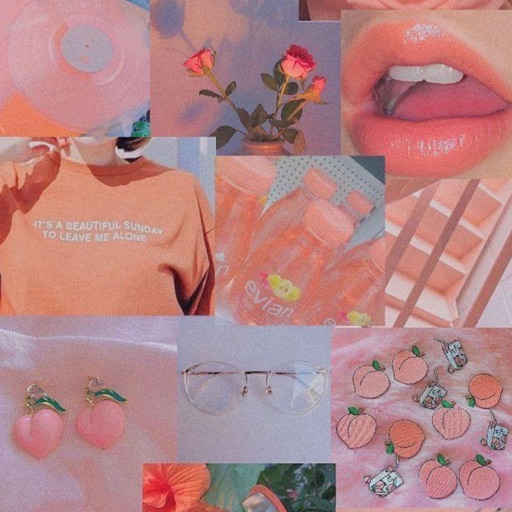
Customize device background with aesthetic . Choose from a variety of luxurious designs. Set as home screen or lock screen. Preview and apply directly.
Create Instagram using 1000+ templates and icons. Select from minimalist, vibrant, chic, and playful designs. Add icons to personalize . Export and share directly to Instagram.
Create collages, stories, and posts from photos with 1000+ layouts and themed templates. Remix up to 20 images with editing tools. Apply filters, remove backgrounds, and add cutouts. Share directly to social media or save as files.
Convert photos to style with 16 customizable masks. Adjust colors and settings for detailed control. Save high-resolution artwork for print. Share creations socially. Supports iPhone, iPad, and iPod touch.
Apply effects to photos including sepia tone, grain, darkened edges, distressed paper, and faded highlights. Adjust intensity settings and export edited images in various formats.
Try on AI-generated hairstyles and colors instantly. Adjust styles and colors in real-time. Save and share edited images. Preview changes on photos or selfies. Apply realistic effects with AI precision.
The app allows users to post entire photos on Instagram without cropping. It offers a colorful background option and direct sharing to Instagram, Facebook, and X.
Create short videos with soundwaves from episodes. Add RSS feeds to select episodes. Use custom mp3 files for previews. Change background color for customization. Share generated videos on social media.
Convert images and selfies into - illustrations using AI. Choose from various artistic styles including classic and modern digital art. Adjust poses and facial expressions for personalized results. Export and share the generated artwork.
Capture photos in RAW format without ND filters. Select capture mode, adjust , and set duration. Merge images into a 12-bit DNG file for editing. Apply motion blur to create artistic effects.
The app transforms user photos into videos using an AI that analyzes quality, faces, composition, and lighting. It offers over 40 transitions, a music library, and export options for various social platforms.
Create collages, cards, and albums using photos. Select from hundreds of templates and customizable grids. Add backgrounds, frames, and text. Edit images with cropping, filters, and adjustments. Share finished projects directly.