Edit photos with filters, adjustments, and effects. and focus areas with finger movements. Crop, rotate, and add text or stickers. Adjust tone curves and apply splash effects. Save and share edited photos to social media.
Edit photos with background removal, image enhancement, and adjustment tools. Add text, stickers, and filters. Export in multiple formats and share directly.
Edit photos with enhancement tools, effects, and frames. Add stickers and overlays. Crop, rotate, and adjust brightness, contrast, and saturation. Remove blemishes and red eye. Apply color splash and sharpen or blur images.
Edit images with blur, watermarking, and mosaic tools. Apply batch processing and circular brush effects. Adjust videos with blur, watermarking, and mosaic. Add music, stitch videos, and apply covers.
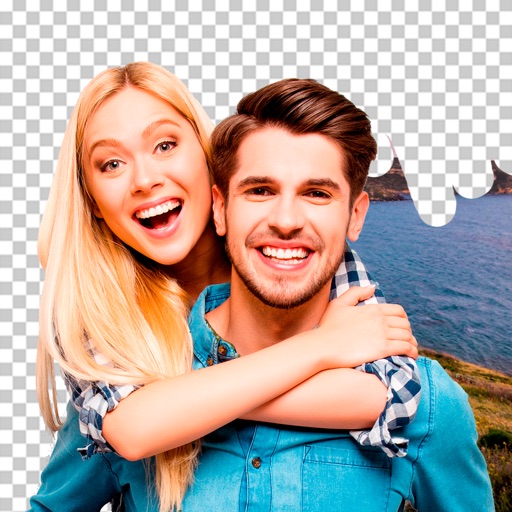
Remove backgrounds or objects using AI by adding a and tapping "remove." Adjust the new background to a custom color, white, another image, a gradient, or a preset. Add text, shapes, and photos to the edited image.
Remove backgrounds from photos using AI-powered automatic detection. Manually adjust removal for precision. Use the lasso tool to select and remove specific areas. Export edited images in various formats.
RAY INFORMATICS YAZILIM TEKNOLOJI MEDYA DANISMANLIK VE EGITIM TICARET LIMITED SIRKETI
Elements for cinematic effect
Create cinematic effects by blurring background elements while keeping subjects in focus. Use AI-powered segmentation to isolate people and objects. Adjust intensity and apply motion for dynamic scenes.
Editor lets users backgrounds, , or specific areas of images. It offers automatic , hand-drawn , face blurring, and various effects. Users can adjust intensity and apply the effect to selected regions.
Create collages with customizable blur backgrounds and adjustable layouts. Apply filters like black and white, vintage, and retro to enhance images. Edit photos by resizing, cropping, or deleting elements.
Edit photos by removing objects and changing backgrounds. elements to create montages. Adjust transparency and replace backgrounds. Save and share edited images directly.
Remove from photos with one-click matting or brush/eraser tools. Save and share edited images with templates and stickers. Access free features for a limited time.
Remove unwanted , people, or clutter from photos using AI-powered tools. Edit images by erasing specific elements and refining edges. Save and share edited photos directly.