Create books with customizable layouts and multiple types including Sudoku, KenKen, Bridges, Crosswords, and Word Search. Set KDP-specific sizing and design chapter pages without coding or design skills.
by Luiz Fernando Widmer Neto★ 0.00 ratingsProductivity$14.99Data updated 2026-09-06
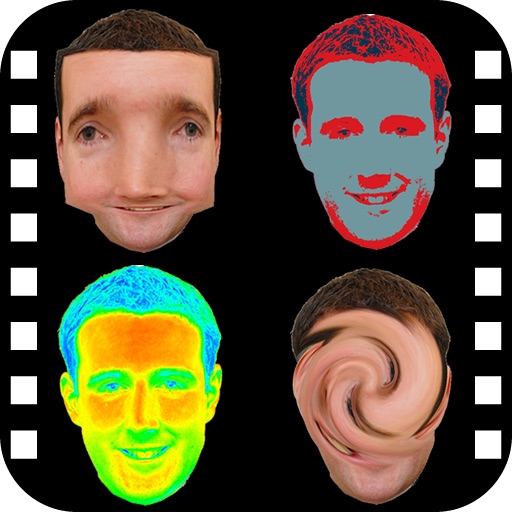
The app provides a photo editing experience with numerous effects. Users can select a picture and apply various filters like Night Vision, Heat Cam, Ripple, and Alien.
Track books you want and those you’ve finished. Search by text or scan ISBN to add to your . Mark books as to record progress. Organize goals with a clean interface. No in- purchases required.
Read and organize books, textbooks, and documents in and PDF formats. Adjust page margins manually or automatically. Choose from multiple themes and color schemes for reading. Turn pages using scroll, curl, or slide.
Create and organize a gallery with uploaded images. Track puzzling time with pause functionality. Categorize puzzles into Wishlist, Waiting list, and Completed. Monitor progress through photos and daily logs.
Search for articles, journals, and open access papers. Filter results by subject, author, or keywords. Access peer-reviewed content and save papers for later. Set reading goals and track progress. Share articles with colleagues.
Create and edit PDFs by scanning documents, combining files, or importing images. Add pages, delete or reorder content, and apply markup. Export with password protection and extract pages or images.
Manage , organize collections, access professional
Manage with a comprehensive library offering diverse styles for professional and creative use. Install and organize for different projects. Access a wide range of font resources for design and office purposes.
Write on PDFs, create notebooks with customizable templates, sketch notes on a large freeform canvas, and take notes on vertically extended pages. Organize content across different document types and layouts.
Convert multiple images to PDF in batches. documents in ultra HD. Export pages to albums. Merge PDF files and insert documents between pages. Read and manage PDF pages, sort, delete, and add covers. Rotate pages and support dark mode.
Create deep, customizable sounds with adjustable waveform and filter settings. Use as a standalone or plugin. Run multiple instances for layered sound design. Adjust sub- frequency and resonance for precise tone control.
Track progress with large graphs showing pages read, books completed, and pace across weekly, monthly, and yearly periods. Monitor daily streaks and streak records. View weekly statistics and remaining time estimates for each .
Create flipbook animations using touch drawing and various brush colors. Edit frames with undo/redo, eraser, and fill tools. Adjust animation speed and manage frames. Save animations and upload to a website. Post comments on published animations.
Create and edit websites with responsive design, blog, and online store features. Manage content on-the-go. Publish and access websites anytime. Sync across devices. No quantity or name mentioned.
The app maps high-resolution weather radar information anywhere in the United States. It allows users to examine reflectivity and look for winds indicative of severe weather simultaneously.
Professional designs for , invitations, presentations, , and event materials. Choose from 500+ templates, icons, and graphics. Upload custom images or use an extensive library. Customize layouts and colors.
Solve puzzles by taking a or entering the grid manually. The processes the puzzle and provides instant results. Works any grid size and doesn't require an internet connection. Features an intuitive interface and clean design.
The app teaches users to create interactive layouts in Adobe InDesign and publish them to the iPad. It uses real-world examples and tutorials to show how to build iPad apps with InDesign and the Adobe Digital Publishing Suite.