Apps Like PP EMU - Game Emulator for iPhone and iPad
Play retro games from Nintendo platforms
Retro gaming for iOS. Load and play games from Nintendo, Sega, Sony, and arcade platforms. Supports multiple formats. Customize controls and save progress. Connect to cloud storage for backups.
by TGMAX LTD★ 4.4201 ratingsEntertainmentFreeData updated 2026-09-06
Play retro games from multiple consoles including Nintendo 3DS, N64, DS, GBA, and more. Emulate PlayStation and Sega systems like Dreamcast and Saturn. Load ROMs to play classic titles. Save progress and adjust audio settings.
Play retro games from PSX, PS1, PSP, NDS, GBA, GBC, GB, SNES, NES, Genesis, and other systems. Import files from ZIP, 7Z, and other compressed formats. Emulate games with smooth performance and accurate controls.
Play video games from retro consoles and handhelds. Load ROM files to emulate Game Boy, Nintendo DS, and other supported systems. Navigate menus and controls via on-screen buttons. Adjust settings for performance and display.
Allows users to emulate various systems including NES, SNES, N64, Boy, Boy Color, Boy Advance, and Nintendo DS. It supports online multiplayer for Nintendo DS games. Users can load ROM files and play games directly on iOS or iPadOS devices.
Play retro GBA and NDS games on iPhone and iPad. Import ROMs from Files or iCloud. Switch between portrait and landscape modes. Use NDS dual-screen layouts. Save game states and fast-forward through gameplay.
Manage a game library with sections for Want, Playing, and Played. Browse upcoming games, new releases, and top-rated titles. Search for games by name.
Allows users to host a Bedrock Edition server and display it as a LAN server on Xbox or PlayStation devices. Enter server IP and port, run the service, then connect via the LAN tab in Minecraft. Supports connection without DNS rerouting.
Control live via smartphone or tablet. Play games like and UFO catchers. Win prizes and have them delivered to your home. Stream machine action and manage prize delivery remotely.
Play retro games from consoles like NES, SNES, Genesis, and GBA. Load game files directly. Customize controller layouts. Adjust graphics settings for smooth performance. Save game progress. Share gameplay recordings.
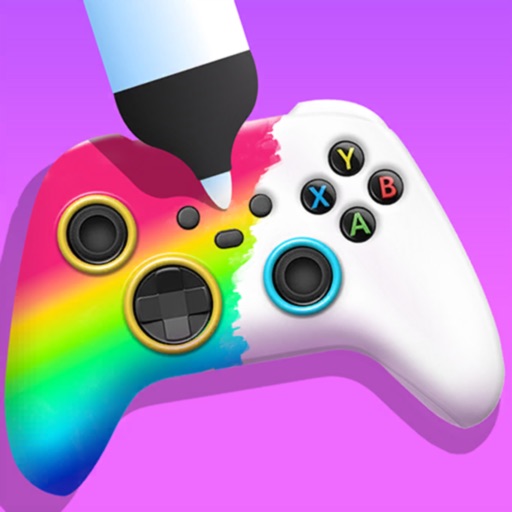
Create custom game controllers by designing art with stencil tools, spray paint, and stickers. Apply color and patterns to joysticks and gamepads. Add decorative elements like marble dipping. Save and share custom designs.
The app features endless runner action with Sonic the Hedgehog and friends. Players race through iconic zones, dodge obstacles, collect rings, and battle bosses in fast-paced gameplay with easy controls and explosive boosts.