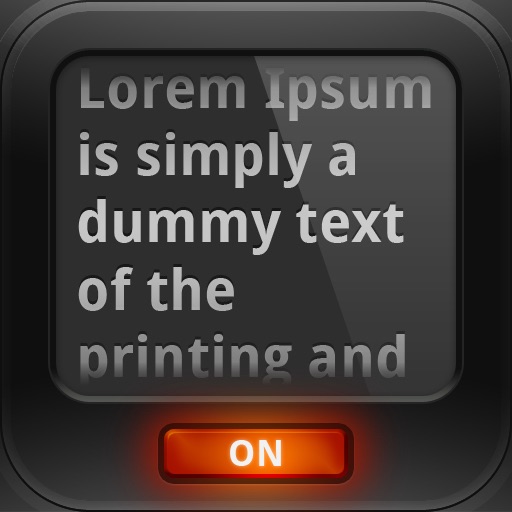
Scroll text at adjustable speeds for natural reading. Mirror mode simulates real setups. Import scripts from files or cloud storage. Customize font size. Record videos while reading on-screen.
by Ivan Sheliuzhko★ 4.17 ratingsPhoto & VideoFreeData updated 2026-09-06
Watch 4K Ultra HD videos with Dolby Vision HDR and no ads. Upload and record videos in high quality. Live stream, collaborate, and share videos directly. Save videos for offline viewing. Edit with AI-powered tools for one-take video creation.
AI allows users to follow scripts synced to their voice. Users can record or import text, adjust font size and speed, and preview content before recording.
Extract files, manage archives, organize documents
Import files from storage or media and organize them. Open ZIP, 7z, and RAR archives with preview and selective extraction. Protect and unlock archives with passwords. Create new ZIP or 7z archives with adjustable settings.
Edit photos with and reshaping tools, skin smoothing, and blemish removal. Apply subtle aesthetic filters. Edit selfies quickly for social media. Use AI to enhance facial features and overall appearance. Export edited images in various formats.
Analyze social media profiles to identify strengths and growth areas. Generate customized content ideas based on audience and niche. Automatically create video scripts for social media. Evaluate video performance to enhance engagement.
Control TV functions with button layout customization. Adjust volume, power, and input settings. Navigate menus and launch apps. Pair with multiple TVs and manage device connections.
Upload photos and apply animated effects like Explode, Melt, Crush, Cake-ify, Inflate, and Squish. Select objects to modify and preview changes in real time. Share videos directly or export in various formats.
Create AI-generated videos using product links. Select from pre-designed scripts. Add custom music and AI avatars. Incorporate user-generated content videos. Edit and share videos directly for advertising purposes.
Answer questions using a single button for quick and precise responses. Access knowledge across all fields. Set up custom prompts and save frequently asked questions. Share answers via text or voice.
Control the teleprompter remotely using another iOS device. Scroll text manually or set auto-scroll speed. Adjust text size and position. Preview content on the device screen. Share prompts via email or cloud storage.
TV functions via smartphone without a physical . Change channels, navigate menus, and manage launches. Adjust volume, pause, and rewind content. Connect to TV over Wi-Fi on the same network.
Convert photos and documents into PDF format. Edit and annotate PDFs. Organize files with folders and tags. Rename and protect documents. Share converted files via email or cloud storage.
Transfer between devices wirelessly without cables. photos, videos, contacts, calendars, and other files. Initiate transfers with minimal steps. Ensure secure and hassle-free migration.
Create resumes using a user-friendly interface. Choose from multiple templates and customize design elements. Save and share resumes directly. Add contact information, work experience, and skills sections. Export in PDF and Word formats.
Record and transcribe incoming and outgoing calls. Save, play, and share recordings. Transcribe audio into chat-style text. Access unlimited daily recordings. Receive 24/7 support for assistance.