Apps Like Find Diamonds Ore For MC&MCPE for iPhone and iPad
, seeds, and servers in Minecraft
Enter a world seed and player coordinates to locate , emeralds, gold, iron, lapis, copper, redstone, spawners, and more. servers for Minecraft and Minecraft PE. Locate ores with chunk-based analysis. Generate seed maps for exploration.
by YAHYA BENZARA★ 3.01 ratingsUtilitiesFreeData updated 2026-09-06
Locate diamonds, emeralds, gold, iron, lapis, redstone, and coal in worlds. Find biomes and structures. Supports Bedrock and Java editions. Compatible with Mac, iOS, PS4, Xbox, and PC.
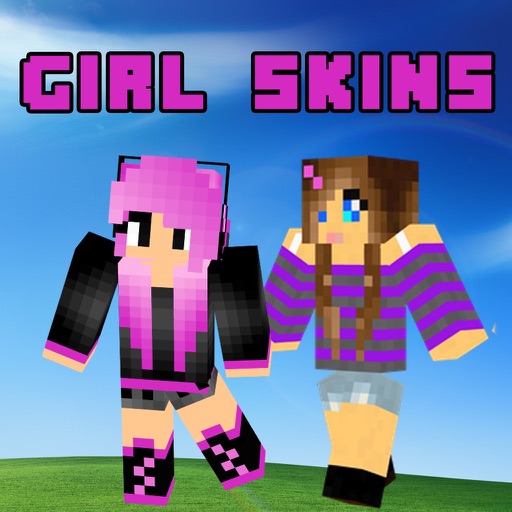
Apply to Minecraft PE characters. Preview in high quality 3D. Support both 64x32 and 64x64 resolutions. Choose from curated collections of . Select and apply directly within the .
Create Minecraft skins by selecting clothing items and customizing features like hair, face, eyes, and mouth. Add drawings for extra details. Export skins for Minecraft PE and PC.
Manage servers by adding them to the . View online , player list, host, port, message of the day, server version, and ping. Check domain SRV records. Server owners can disable player list visibility.
Transform into 70 different Minecraft mobs including Ender-Dragon, Dinosaur, Robot, and Medusa. Select mob type, customize appearance, and activate full abilities. Share character designs and compare mob traits.
Install and manage for . Select and download for weapons, cars, furniture, and more. Open mod files within the to import them into . Activate chosen in world settings for multiplayer use with friends who have the same installed.
Download and install maps, addons, textures, skins, mods, and servers through a centralized launcher. Browse categories for maps, mods, skins, and texture packs. Access servers and build guides with recipes.
Learn to build with step-by-step tutorials. Use AI tools to assist in Minecraft creation. Locate diamonds, gold, and other resources with an ore finder. Find seeds for new adventures. Create in Minecraft with guidance and tools for all skill levels.
Allows users to host a Bedrock Edition server and display it as a LAN server on Xbox or PlayStation devices. Enter server IP and port, run the service, then connect via the LAN tab in Minecraft. Supports connection without DNS rerouting.
Browse to discover new ones. Export and play selected with a tap. Share directly and view others' reactions. Connect with like-minded users to discuss and explore together.
Customize PE characters with a wide selection of , including bikini styles, cute costumes, and fashionable outfits. Apply with one click and share them on multiplayer servers to stand out.
Browse and download hand-picked designed by professionals for . Apply to in-game characters. Filter by category and style. Share with other players. Sync skin preferences across devices.
Share creations, connect with players, exchange tips
Connect with players to share creations like Add-ons, Maps, and Skins. Discuss tips and knowledge about the game. Create and edit posts, comment, like, and follow others. Search for posts and users. Follow or unfollow players to stay updated.