Apps Like Flyer Maker-Poster Maker Flow for iPhone and iPad
Design posters with templates and edit content
Create professional posters with dynamic templates and custom editing tools. Add text and photos using drag-and-drop. Auto-save designs to a portfolio. Share finished projects directly.
by 玉芳 谢★ 0.00 ratingsUtilitiesFreeData updated 2026-09-06
Create and customize personalized emojis with pinch gestures for resizing, flipping, and positioning. Save creations to the gallery and send as emojis or stickers in supported apps. Edit and design unique emoticons for text messaging.
Create and customize character by editing heads, bodies, colors, legs, and accessories. Use preset designs to share or generate random for inspiration.
Create custom logos with a vast library of templates. Customize fonts, colors, and symbols. Adjust elements by pinching, dragging, and spinning. Export transparent files. Purchase and print custom t-shirts, tote bags, and temporary tattoos.
Create a professional PDF using 20+ customizable . Adjust fonts, colors, spacing, and margins. Add, edit, and rearrange sections. Preview your before exporting. Receive smart suggestions to enhance content.
Create a professional with customizable templates and real-time previews. Add job-focused content tips and adjust sections to highlight experience. Export as PDF or Word and share directly.
Edit photos by removing objects with a magic eraser and auto-cutout tools. Adjust colors, apply filters, and enhance details. Save and share edited images directly.
Create ID photos with intelligent makeup and skin adjustments. Choose from multiple clothing templates. Remove and replace backgrounds automatically. Select from various size options. Generate ID photos quickly with a large-capacity layout.
Create and send professional PDF invoices and estimates instantly. Add client details, itemized lists, and custom pricing. Set due dates and payment terms. Export as PDF and share via email or messaging. Track status and send reminders.
Helps users generate essays, emails, and blog posts with grammar and tone suggestions. It allows searching the web, translating text, and improving instantly. Users can create, summarize, and refine content using advanced AI models.
Edit videos by cutting, combining, captioning, overlaying, and animating. Use AI tools for auto captions, text-to-speech, music match, and noise removal. Supports 4K at 60FPS. Remove backgrounds and upscale videos with AI features.
Save and organize frequently used texts, emails, and phone numbers with one-tap access. Customize templates with dynamic variables. Sync phrases across iOS devices using iCloud. Store and manage copied text snippets.
Take photos with built-in document templates for 120+ countries. Adjust lighting, background, and alignment. Save, edit, or print photos directly. Export in standard formats for visa or ID purposes.
Create custom logos using AI-powered design tools. Generate professional logos for businesses, brands, or personal projects. Choose from various styles and templates. Edit elements like colors, fonts, and layouts.
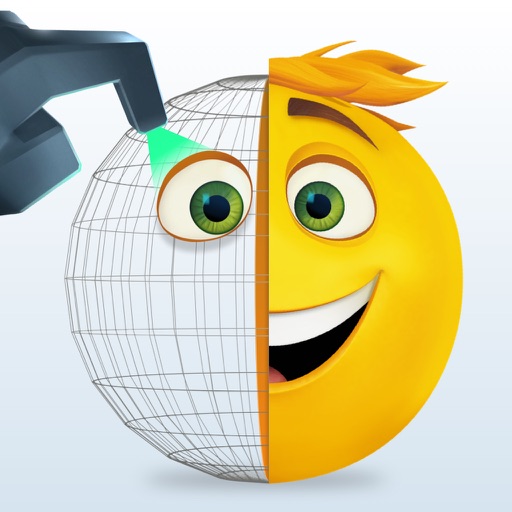
Create and customize animated emojis with characters like Gene, Jailbreak, and Smiler. Choose from hundreds of designs and animations. Save and sync emojis to Messages or Keypad.
Create and send custom stickers in real-time. Choose from a wide library of designs and personalize with text, colors, and effects. Share stickers across messaging apps and edit them directly within the .
Create collages by combining multiple photos into layouts. Choose from 50+ grid styles and tree or 3D modes. Edit photos with cropping, filters, and text addition. Share finished collages directly.
Track and organize children's developmental observations using portfolio tags. Input and manage assessment evidence aligned with early standards. Plan individualized lesson plans based on collected data.