Practice scales and arpeggios on the with customizable exercises. Record and review performances. Adjust tempo and difficulty levels. Track progress over time. Sync with music libraries for reference.
Learn to play the diatonic with video tabs, custom tabs, and technique libraries. Access backing tracks, riffs, and songs across various genres. Master skills through structured lessons and practice tools.
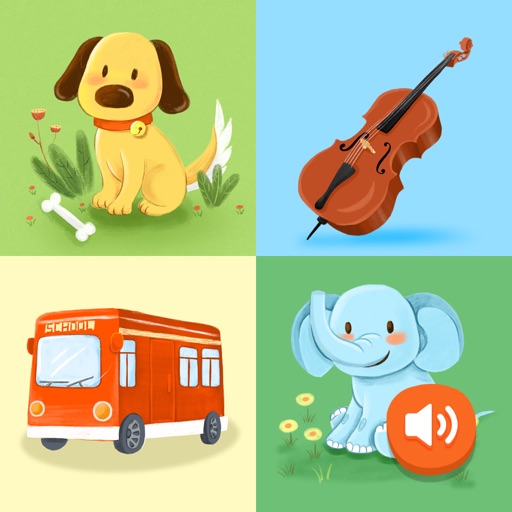
Teaches babies to recognize animals and vehicles through interactive images and sounds. Tap to view pictures, listen to sounds, and see corresponding text. Includes tactile and auditory stimulation for sensory development.
Learn languages with AI-driven lessons tailored to your level and goals. Practice speaking, study grammar, and build vocabulary through interactive exercises. Track progress with personalized learning paths and real-world immersion activities.
To play the with beginner-friendly video lessons and free tablature for classic songs. Watch tutorials for popular tracks like Country Roads and Knockin’ on Heaven’s Door. Practice with video demonstrations and play along with provided tabs.
Learn with pitch recognition and basic music theory. Play and record notes, visualize scales and chords. Access tuning guides and practice exercises. Sync lessons across devices and adjust interface for different screen sizes.
Practice musical notes with adjustable pitch and octave selection. Choose difficulty levels from easy to expert. Use reference pitches in practice mode. Transpose notes to different keys. View note names, piano keys, or solfege.
Provides precise tuning for various instruments including guitar, violin, piano, and flute. It detects pitch and displays frequency. Users can adjust tuning settings and save custom presets.
Provides pitch detection for accurate tuning. Users can follow visual indicators to adjust string tension. The offers tuning prompts for precise sound calibration. It includes a simple interface for beginners to tune their without prior knowledge.
Play with a full 88-key keyboard and haptic feedback. Use multi-touch for chords and dynamics. Access 50+ instrument tones. Learn through interactive practice. Control via widgets without launching the .
Provides tempo control with adjustable beats per minute. Users can set and save custom tempos. One-button access to preset tempos for quick practice. Features a compact interface for focused practice.
The app allows users to create, save, and share professional stage plots. It offers an intuitive interface with an editing tool bar and easy-to-read graphics, including over 250 industry-standard props.
Helps users improve musical ear through exercises that evaluate pitch and intervals. It includes an on-screen tuner, detailed pitch graphs, and modes for listening and testing.
Track playing habits and provide feedback to improve performance. Use a chromatic , tone and chord generator, , and recorder. Practice ear training, rhythm, timing, and dynamics. Sync with Apple Health for progress tracking.
Market fundamentals with structured courses on stocks, ETFs, and index funds. Practice trading through a simulated StockSim environment. Complete real-world challenges and track progress. Refine skills with advanced technical analysis lessons.
Listen to sound and identify notes for playing. Display notes for blow and draw with hole numbers 1 to 10. Support keys including C, A, D, G, E, F, Bb, B, Eb, and custom keys. Show bending, overblow, and overdraw notes.
The app provides real-time pitch recognition for harmonica players. It offers interactive tools for learning songs, scales, and riffs, along with music theory explanations.