Transform photos into vintage styles from the 70s, 80s, 90s, or 2000s. Adjust hairstyles, clothing, and overall photo style to match the chosen era. Upload images, select a decade, and apply era-specific filters. Share edited photos with others.
by WHATSGOODAPPS LLC★ 5.01 ratingsPhoto & VideoFreeData updated 2026-09-06
The app allows users to transform photos with live camera effects like painting, sketch, and pixel styles. Users can preview effects before capturing, adjust their intensity, and compare with the original image.
Capture photos with a vintage aesthetic. Apply pre-designed effects to mimic real tones. Use a simple interface to take instant photos without editing. Share finished images directly from the .
Edit photos by selecting from the gallery or using the camera. Add and adjust their position, size, and rotation. Crop images by dragging or scaling with two fingers. Share the edited photo directly.
Take photos with multiple filters, light leaks, and effects. Use a timer, volume keys, and composition lines. Crop images in various ratios. Edit photos with filters and apply them to images taken with other apps.
Edit photos with texture overlays and film effects. Add retro vibes, glitches, and grain. Adjust brightness and contrast. Export and share edited images directly.
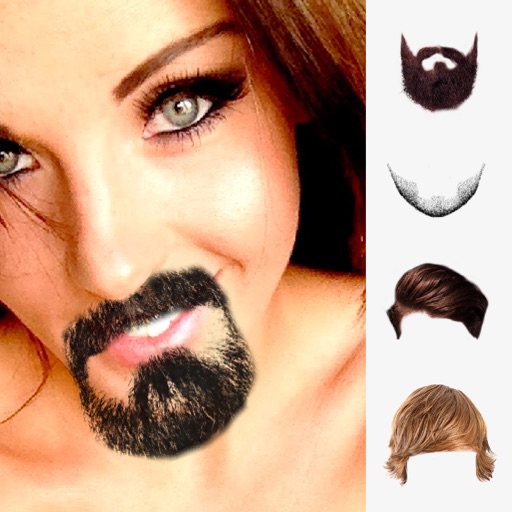
Edit photos by removing people and distractions, then replace with customizable backgrounds. Create professional headshots with LinkedIn Shots. Try realistic hair changes including styles and colors.
Edit photos by describing desired changes, additions, or removals. Remove objects or people seamlessly. Enhance lighting and mood with cinematic, dramatic, soft, or warm settings. Adjust colors and apply filters. Save or share the final edited image.
The app offers over 800 ways to transform photographs, including vintage film recreations, textures, and gel overlays. Users can adjust brightness, contrast, color temperature, and exposure, with options to fine-tune intensity and compare edits.
Upload a and select from pre-designed AI styles to generate studio-quality images. Edit generated photos with cropping and filters. Share the final output directly to social media.
Apply -themed to images from the gallery or camera. Adjust frame size and position by rotating, scaling, zooming, or dragging. Choose from fifteen in various shapes and colors. Save edited photos to the device.
The app provides over 860 random filters and date stamps for creating retro film camera effects. Users can capture moments and enhance photos with various styles like lomo, film, and black and white.
The app offers manual and semi-automatic exposure modes, with controls for shutter speed, ISO, and exposure compensation. It includes various focus modes, white balance presets, and a selection of filters for color, contrast, and edges.