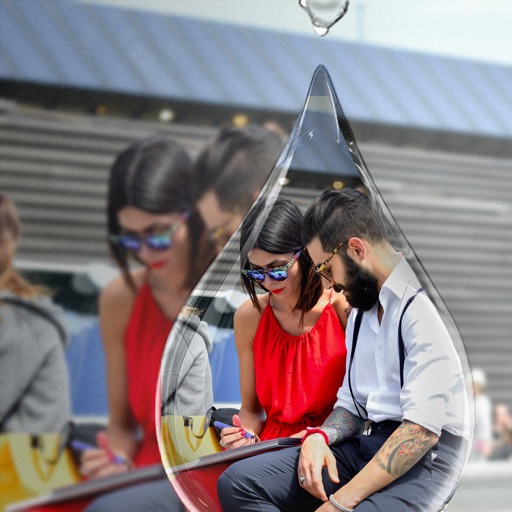
Create and share instant photos with customizable filters and frames. Add text, stickers, and emojis. Save or share directly to social media or email. Adjust brightness, contrast, and saturation. Apply vintage or retro effects.
by Laurent Desserrey★ 4.825 ratingsPhoto & VideoFreeData updated 2026-09-06
The app allows users to add typography, filters, frames, shapes, and stickers to photos. It includes tools to adjust sharpness, brightness, saturation, contrast, RGB, hue, and exposure.
Edit photos with filters, borders, and cropping tools. Share directly to social media or print. Connect accounts to access memories. Customize images with text and stickers. Export in multiple formats.
Capture photos with advanced AI enhancements. Edit images using beauty filters and portrait modes. Create 3D figurines and custom avatars from photos. Share edited content directly. Sync with social media platforms.
Edit photos with cropping, rotating, and filter adjustments. Retouch selfies and enhance lighting. Share to Facebook, Instagram, and IG stories. Save custom filter recipes. Batch edit multiple photos. Use + to stack filters and adjust strength.
The app offers numerous standard layouts and artistic filters, including B&W and vintage effects. Users can adjust exposure, contrast, saturation, and white balance for their photos.
Edit photos with filters, cropping, and brightness adjustments. Create collages and custom cards with design tools. Add text, stickers, and backgrounds. Export edited photos in various formats and share directly.
Edit photos with filters, beauty tools, and artistic effects. Adjust skin tone, eyes, and lighting. Add stickers, text, and frames. Export in multiple formats and share directly. Sync with mobile edition for consistent editing experience.
Manage and organize photos with local and iCloud integration. Edit images using filters, cropping, and brightness adjustments. Share directly or save to a private library. Import videos and create collages. Add text and stickers to photos.
Share photos by clicking twice. Split images into square sections that fit together on social media. Choose from multiple layouts. Upload and edit photos with intuitive guidance. Adjust brightness, contrast, and saturation. Add text and filters.
Edit photos with 50+ filters and adjustment tools for brightness, contrast, vibrance, and hue. Apply special effects like comic or sketch styles. Draw on images, add text, and use blur or rotate features. Crop and color splash photos.
Add crystal filters to photos and videos for a prismatic effect. Apply dreamy, mysterious looks with artistic color presets. Fine-tune media with customizable adjustments. Convert photos into animated effects. Share edited content directly.
Edit photos and videos with vintage and retro styles using curated presets. Apply filters to adjust color, contrast, and tone. Use templates for minimal, paper, film, or polaroid effects. Export edited content in various formats and share directly.
Create collages by combining multiple images or videos. Adjust brightness, contrast, and color. Add text, stickers, and effects. Share finished projects on social media. Save edits in various formats.
Edit photos and videos with 6 custom film camera filters and 14 unique film stock options. Apply 130 professional presets for consistent color grading. Adjust exposure, contrast, and saturation manually.
Digital Photo Frame Slideshow Maker - Picture & Video Creator App LLC
Swap photos, rotate images, share moments
Display photos from your device, iCloud, and social media. Rotate images automatically. Create themed collections. Set schedules for when photos appear. Share photos via email or messaging. Add captions and borders. Adjust brightness and contrast.
Edit photos by applying 100+ textures with brush tools. Adjust effects using opacity and blend modes. Retouch with an eraser. Add sparkles and other decorative elements. Save edits or share directly to social media.
Edit photos with PIP frames, collages, and creative layouts. Add crystal bottle patterns and cartoon styles. Share edited photos directly to social media. Adjust brightness, contrast, and colors. Crop and rotate images.
Edit photos with painting effects, filters, and artistic styles. Apply customizable brush strokes and color adjustments. Save and share edited images directly.