Generate for videos by selecting clips from Photos, Files, or a URL. Edit with one tap to adjust words instantly. Export subtitles as embedded files or .srt/text formats. Access caption history for past edits.
Play sound clips and effects with customizable volume and timing. Choose from a variety of tones and set repeat intervals. Share recordings via social media or messaging apps. Sync with stereo systems for amplified sound output.
Convert files between formats. Edit recordings with trimming, splitting, and noise reduction. Apply effects like reverb and equalization. Export edited in multiple formats and share directly.
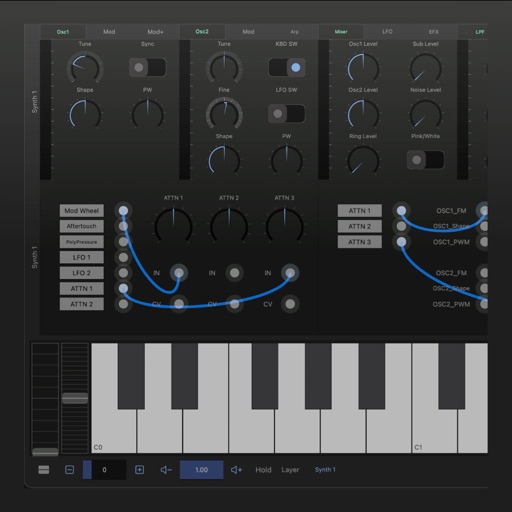
A synthesizer with 16 voice polyphonic capabilities. Users can create sounds using two oscillators per voice, adjust ADSR envelopes, apply filters, and control amplification. Includes effects, a sequencer, and audio visualization.
Trim audio files with millisecond precision. Cut, merge, and mix tracks. Create custom ringtones and alarms. Adjust bitrate and volume for quality. Export in supported formats. Set as device or notification sound.
Simulate the ANS synthesizer by drawing spectrograms to create music. Adjust parameters like pitch, amplitude, and envelope. Play back compositions and export audio files. Learn about the history and unique capabilities of the ANS instrument.
Create custom ringtones by extracting from videos or trimming files. Edit with precise selection tools. Convert video to and record voice notes. Save and share edited files.
Generate synthetic sounds with modulated oscillators
Create synthetic sound events using 5 oscillators with amplitude and frequency modulation. Adjust sound parameters in EventMode for long durations or GrainMode for short, dense sounds. Generate complex textures, glitches, drones, and point sounds.
Enhance audio with boosting and equalization. Adjust levels and apply custom effects. Play music from iTunes or Apple Music. Tap speaker icon to instantly boost . Sync with headphones or speakers for optimized .