Apps Like OpticFlow: Instant Filter for iPhone and iPad
Edit photos, apply filters, share videos
Edit photos with one-tap filters and AI enhancements. Apply Light Leak Overlays and director-style effects. Create collages using drag-and-drop editing. Export and share directly to social media platforms.
by Ataman Girisken★ 0.00 ratingsPhoto & VideoFreeData updated 2026-09-06
Edit photos using AI-powered enhancements for improved details and style. Apply up to 15 unique filters with one tap. Adjust colors, brightness, and contrast. Add text and stickers. Export and share edited images directly.
SOLDD E-TICARET BILGI VE DANISMANLIK INSAAT OTOMOTIV ANONIM SIRKETI
Edit photos with AI-powered tools
AI Portrait Perfection: Generate realistic portraits from photos with advanced AI. Edit skin tones, remove blemishes, and enhance details. Adjust lighting and shadows for natural results. Export edited images in high resolution.
Edit photos with one-touch filters for vivid, delicious results. Adjust brightness, contrast, and saturation. Add text overlays and stickers. Share edited images directly to social media or blogs.
Edit photos with cropping, resizing, and removal tools. Apply filters, adjust colors, and add text overlays. Export images in various formats and share directly to social media or online stores.
The app offers photo editing tools including insta square, color splash, and collage maker. Users can create unique photos with various filters, effects, and text options.
Apply VHS, Stardust, Retro, and Golden Hour filters to photos and videos. Edit RAW photos with tools like Contrast, Saturation, Grain, and Fade. Crop and Skew images for perspective adjustments. Save and reuse favorite edits with presets.
Capture and enhance photos using AI-powered editing tools. Adjust skin tones, remove imions, and apply romantic filters. Share edited images directly or save for later. Sync photos across devices and create custom collages.
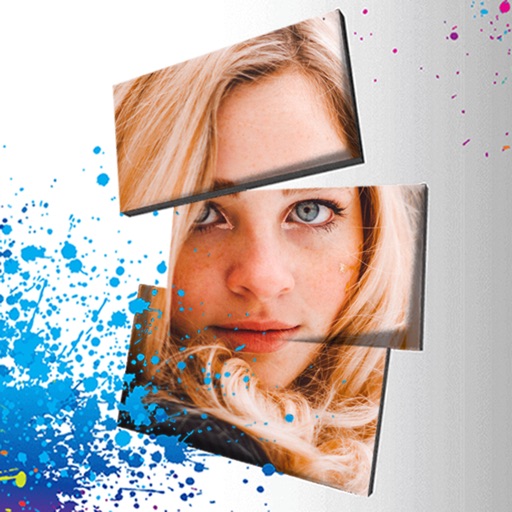
Edit photos with 3D and color effects to create立体 art. Apply special effects to enhance images. Save and share edited photos directly. Use fun and intuitive editing tools for creative customization.
Apply filters to photos and videos to enhance colors and tones. Edit videos with trimming, cutting, and adding effects. Share edited content directly to social media platforms.
Apply retro filters and effects to videos. Adjust color and grain for vintage look. Record with simulated 8mm camera style. Export videos for social media sharing. Add text overlays and customize effects. Sync with social media platforms directly.
Create AI-generated videos with advanced editing tools. Apply filters, adjust timing, and add text overlays. Export in various formats and share directly. Collaborate in real-time with team members.