Apps Like OpticFlow: Instant Filter for iPhone and iPad
Edit photos, apply filters, share videos
Edit photos with one-tap filters and AI enhancements. Apply Light Leak Overlays and director-style effects. Create collages using drag-and-drop editing. Export and share directly to social media platforms.
by Ataman Girisken★ 0.00 ratingsPhoto & VideoFreeData updated 2026-09-06
Edit photos and videos with AI-powered filters, 100+ templates, and 20+ glitch effects. Adjust colors using HSL, RGB, and color-tuning tools. Apply AI makeup and export edits in various formats.
Create looping videos from existing videos or Live Photos. Apply filters, add dynamic overlays, and edit with professional tools. Integrate favorite music. Share directly with others.
Edit photos with texture overlays and film effects. Add retro vibes, glitches, and grain. Adjust brightness and contrast. Export and share edited images directly.
Create collages and edit photos with cropping, filters, and text. Add stickers and remove backgrounds. Edit videos, create slideshows, and design invitations. Share directly to Instagram with hashtag management.
Apply filters to photos or videos to change appearance or add effects. Predict future scenarios using themed filters. Share filtered content with friends. Access trending and humorous filter options.
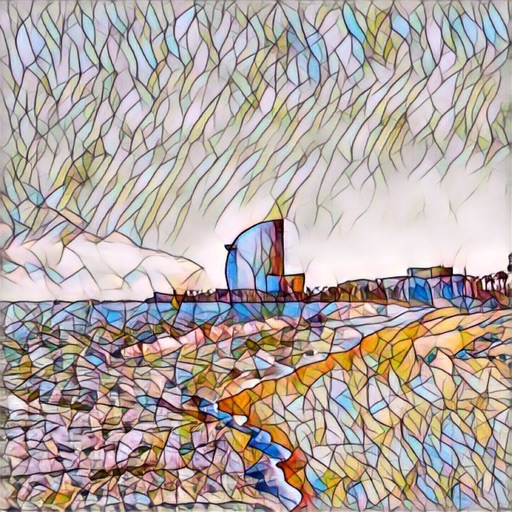
Take photos and apply artistic filters such as cartoon, comic, , and oil painting styles in real-time. Adjust filter settings instantly. Export edited images in various formats. Share directly from the .
Create multi-photo posts by splitting images into 2–12 aligned sections. Design custom templates with layered photos. Rearrange images using drag-and-drop. Export high-resolution content up to 6K. No subscription needed.
Edit photos with LUT color filters, film grain, and textures. Add light leaks, paper burn, and bokeh effects. Import photos or shoot with the built-in camera. Apply vintage light effects and adjust for cinematic looks.
Edit photos with abs stickers, body contouring tools, and realistic texture overlays. Adjust body shape, add muscle definition, and apply filters. Save and share edited images. Track progress with the 21-day ab challenge.
Create reflection for photos with left-right, up-down, and repeating options. Apply cool filters and artistic frames. Edit images to generate twins and typography .
Create collages by combining photos into -shaped frames. Apply filters and adjust colors. Share collages directly or save in various formats. Organize memories in a single album.
Apply filters to photos and videos for stylized effects. Swap faces in videos for creative self-portraits. Use pose guides and trendy hairstyles to enhance photo composition. Adjust filters and effects for customized artistic outcomes.
Enhance images with one tap using 16 . Apply effects and adjust brightness, contrast, and saturation. Share photos directly to Instagram, Facebook, and Snapchat. Export edited images in various formats.
Create 360 videos and strips with instant editing tools. Capture high-quality images and videos. Apply filters and effects. Export and share directly. Sync with social media platforms. Manage guest photos and generate printable strips.
Edit photos with filters, effects, and adjustments. Add text with multiple fonts, colors, and effects. Overlay text or add captions and 3D text. Include stickers, artwork, and frames. Create collages and personalize cards with photos.