Display current location and customizable info on large text screens. Create waypoints using location, crosshairs, or coordinates. Organize waypoints into overlays and navigate to them with arrows or maps. Track movement and view location details.
Find routes and get turn-by-turn . View current location and nearby places. Receive directions for accurate destination arrival. Display maps with real-time location tracking. Show nearby points of interest.
Browse concerts, music festivals, and sporting events by location or artist. Search for , reserved seats, and available merchandise. Buy official to live events and avoid price gauging on resale markets.
Provide offline with detailed points of interest. Record GPS tracks and bookmark locations. Receive turn-by-turn navigation with voice instructions in nine languages. Choose routing options for driving, cycling, walking, or shortest distance.
Track position, height, and acceleration with accuracy in feet, meters, miles, or kilometers. Log maximum altitude and speed. Display and save current or waypoints on a map. Choose coordinate formats for viewing.
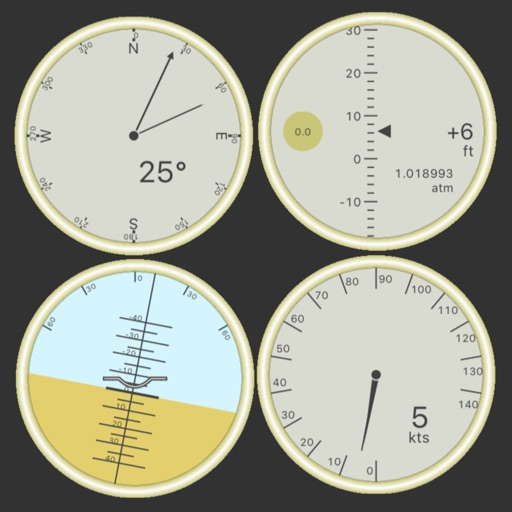
Customize dashboards with configurable gauges like speedometer, odometer, GPS altimeter, barometric altimeter, accelerometer, artificial horizon, compass, and elapsed time. Swipe to switch views and access real-time sensor data from iPhone or iPad.
The app provides location information, including address and coordinates, with a compass and map view. It also features a seismometer to alert users of earthquakes and allows sharing of precise locations via email or message.
Real-time 3D maps with GPS navigation. Access HD views for current locations and addresses. Get driving directions and traffic updates. Receive voice-guided routes for navigation. Sync with global earth map for location-based insights.
Provide real-time turn-by-turn with updates. Plan routes and view alternative options. Adjust settings for preferred roads or avoid tolls. Share locations and receive directions via voice or map. Sync with devices for offline use.
Navigation allows users to view direction aligned with satellite imagery or maps. Displays street address, GPS coordinates, elevation, and What3Words codes. Taps switch between satellite and map views. Pinch or spread to zoom.
Navigation helps users locate their car by automatically zooming in to show its position relative to the user. The map orients toward the car's direction to guide the user.
Plan trips with offline maps, detailed directions, and attraction information. Browse insider tips and user-generated content. Book hotels and read restaurant reviews. Access travel guides without an internet connection.
Navigate with turn-by-turn instructions and real-time guidance. Choose routes for car, motorbike, bicycle, or walking. Add way-points for optimized paths. Locate nearby hotels, restaurants, hospitals, and ATMs .
A group allows players to a bottle to select a teammate. The selected player answers a Truth or Dare question. Players take turns asking and answering questions in a chain.
Locate parked cars using augmented reality and radar tracking. Save locations with a timer to avoid parking fines. View simple map views and set alerts for parking duration.
Plan and record routes with detailed maps. Import and export GPX files. View topographic data and street names. Navigate without internet connectivity. Set waypoints and track progress. Explore locations with accurate, up-to-date maps.
Manage rewards and view profile. Earn points for free food on purchases. Save payment methods and addresses. Order ahead for pickup or delivery. Re-order recent meals quickly. Find restaurant locations and details.