Apps Like Act-Two : Body Motion Video AI for iPhone and iPad
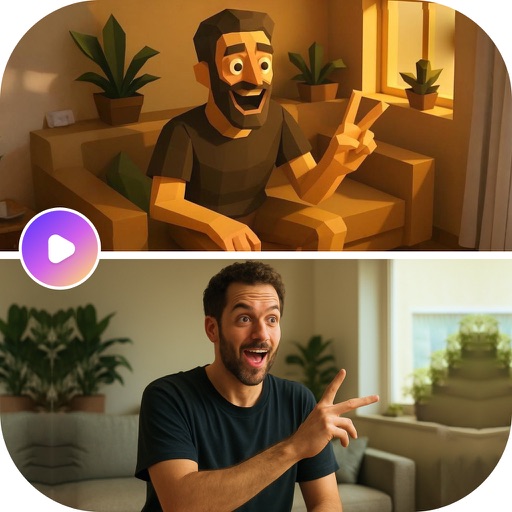
Upload , select image, generate
Upload a and select an image to generate a new where the image animates with the original's movements, timing, and audio. Edit the generated , adjust parameters, and export or share the final result.
by Geeta Viradiya★ 3.216 ratingsPhoto & VideoFreeData updated 2026-09-06
Edit videos using AI Auto Edit tools. Convert images to with AI Image-to- features. Apply AI Art filters for Vivid Anime and Fairy Classic styles. Use templates like Sunflare and AI Kissing for creative effects.
Create videos using AI-generated celebrity voices. Choose a celebrity, input text, and generate realistic audio. Add to videos, share on social media, or send as personalized messages. Include effects and animations for comedic content.
Edit photos and videos with like Analog Noise, Digital Noise, and VHS Noise. Apply such as Color Aberration, Datamosh, and Pixel Sorting. Save edited content as animated GIFs. Export in 4K resolution.
Create animated photos by adding motion to selected elements. Choose animation styles, adjust timing, and export as video or GIF. Share directly to social media or save for later.
Create videos using AI-generated templates for TikTok, Instagram Reels, and YouTube Shorts. Add auto-synced captions and beats. Convert text or images into videos. Remove backgrounds and auto-cut clips. Apply AI effects for enhanced visuals.
Convert photos into animated videos using AI motion effects. Apply cinematic AI enhancements to images. Upload and transform photos with available credits. Purchase additional credits for more conversions and effects.
Create hyperreal videos from text prompts or images. Generate cinematic scenes, anime shorts, or video remixes. Edit and share videos directly. Collaborate in a community for creative experimentation. Add sound and refine video details.
Create digital art using AI-powered tools. Upload images or describe ideas to generate art. Design avatars, animate photos, and create tattoo artwork. Edit and export final designs in various formats.
Create AI-generated videos from text or images using Google's Veo 3 and Veo 2 models. Input text prompts to generate cinematic videos with realistic visuals, physics, and sound effects. Edit length and export in various formats.
Create graphics and animations with multiple layers of video, graphics, and audio. Edit vector and bitmap elements directly on your device. Use 160+ effect building blocks to design complex visual effects.
Edit videos with trimming, splitting, and merging tools. Add text, stickers, and music. Apply filters and transitions. Export in vertical 9:16 format. Share directly to TikTok, Reels, and Shorts. Supports multiple video and audio sources.
COSMOS OYUN YAZILIM DANISMANLIK SANAYI TICARET LIMITED SIRKETI
Generate videos and photos with AI
Create AI videos and photos using text or image prompts. Generate realistic videos instantly. Swap faces and design content quickly. Export and share high-quality results.
Turn static photos into dynamic videos with one click. Choose from trending AI effects like Luxury Lane, AI Lover, Mermaid Muse, Motion Magic, and Beast Mode. Customize hair colors and body features to create realistic animations.
Create avatars by uploading images. Perform real-time body and facial movements to animate characters. Stream live videos with interactive roleplay. Share content on social media platforms. Participate in trending challenges and viral moments.
Trim videos to remove unwanted parts. Add background music from your device. Adjust speed for or fast . Modify brightness and blur settings. Insert text with customizable colors, fonts, and effects.
Create videos using AI avatars based on text, voice, or existing videos. Generate lifelike animations 24/7. Use creation shortcuts and a agent for faster editing. Export and share videos directly.