Display web pages on both device and external screen simultaneously. Control content on each screen independently. Mirror or split views via HDMI, AirPlay, or AV adapter. Manage web content remotely from any location.
by Erfan Reed★ 5.01 ratingsDeveloper ToolsFreeData updated 2026-09-06
Allows users to browse the web quickly with a lightweight design under 3MB. It supports tabbed browsing, bookmark saving, and gesture navigation. Users can customize settings for privacy and performance.
Control TV remotely via Wi-Fi by connecting iOS device and TV. Mirror screen to display videos, photos, music, web pages, PDFs, and drawings. Cast content without extra hardware or delay. Adjust volume and navigate menus directly from device.
Reduces ads and unwanted interruptions by handling exceptions before content loads. It operates in the background without complicated setup. Users can manage interference settings and ensure cleaner and web experiences.
Edit stereoscopic images with auto-alignment and manual adjustment of L/R positions. Import L/R independent, SBS, MPO, or spatial photos. Display in SBS, mirror, 2D, anaglyph, or wiggle modes.
Automate clicks, curved swipes, and pinch gestures on web pages or games. Set custom timing and locations for repeated actions. Perform tasks requiring consistent touch inputs without manual interaction.
Tor Web Browser provides private browsing with built-in anonymity features. Users can customize settings for privacy, manage cookies, and block trackers. It supports extensions and scripts for enhanced functionality.
Control home automation devices remotely using your mobile device. Manage scenes, adjust lighting, and monitor security systems. Receive notifications and control devices via Apple Watch.
View and inspect 3D models in various formats like PLY, STL, OBJ, and CTM. Open models from web links, emails, DropBox, or file shares. Navigate models with intuitive controls for zooming, rotating, and panning.
Desktop displays time with a style and retro interface. Set focus mode to minimize distractions. Use countdown timer for tasks like cooking or workouts. Adjust settings for time zones and alarms.
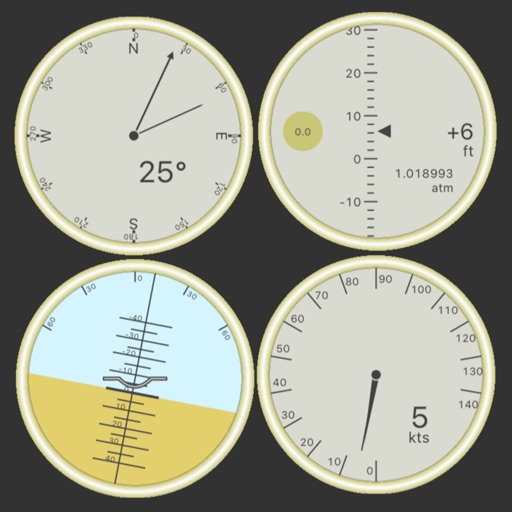
Customize dashboards with configurable gauges like speedometer, odometer, GPS altimeter, barometric altimeter, accelerometer, artificial horizon, compass, and elapsed time. Swipe to switch views and access real-time sensor data from iPhone or iPad.