Apps Like Smart Remote Control for TV. for iPhone and iPad
Your TV with your device
Your TV, LG TV, Hisense TV, Fire TV, or Roku TV remotely using an iPhone or iPad. Adjust volume, change channels, and navigate menus. Access shortcuts for frequently used functions.
by Voyage Cabin Pty Ltd★ 4.812 ratingsUtilitiesFreeData updated 2026-09-06
Models and cast devices with saved last access, quick touch pad and keyboard inputs, and a streamlined interface. Manage devices without installation, and contact support for troubleshooting.
Remote control allows managing home devices from anywhere. Simultaneously control multiple devices through a single interface. Set timers to automate various functions. Share devices with family members with one tap.
Control your TV with a phone . Support for 100+ TV brands allows functionality. Enable quick setup for instant connection. Access all TV buttons and features directly from the interface.
Or Netcast TVs remotely using a phone or tablet. Use an on-screen keyboard for fast searches and a large touchpad for navigation. Automatically detect compatible smart TVs on the same Wi-Fi network.
Control your TV by using touchpad and keyboard functions to navigate menus, change channels, and adjust volume. Access a interface compatible with multiple TV brands. Manage device pairing and settings through the .
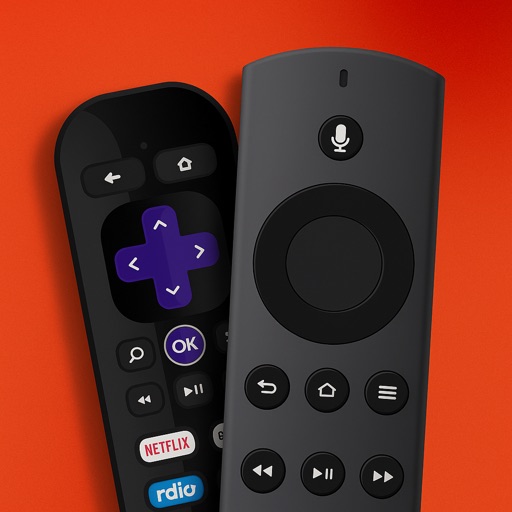
Transform your device into a for Roku TV and streaming devices. Navigate channels, playback, and manage apps with a touchpad. Access favorite channels quickly. Launch streaming apps and switch inputs. Support private listening via headphones.
Control Samsung TV via iPhone or iPad on the same Wi-Fi network. Navigate menus, adjust volume, and use a touchpad for precise movement. Access voice commands and customize button layouts for different TV models.
Control your TV with a . Manage volume, channel, and input settings. Switch between supported brands like Samsung, LG, and Sony. Pair via WiFi and navigate using on-screen buttons. Adjust brightness and mute functions.
Lets users change channels, fast forward, rewind, skip back, and adjust volume. Navigate menus with a trackpad or search using a phone’s keyboard. Connect to Roku TV via Wi-Fi for full control functionality.
Control Samsung, LG, Sony, Roku, Philips, or TCL TVs from your iPhone without additional hardware. Navigate menus, adjust volume, and switch channels. Pair with multiple TVs and manage settings remotely.
Manage your TV with a smartphone . volume, change channels, and open apps. Connect to compatible Smart TVs instantly. Adjust settings and navigate menus directly from your phone.
TV functions remotely from an iPhone. Open apps and channels quickly. Adjust volume and brightness. Navigate menus and access settings. Duplicate traditional remote features for easy management.
Control TV functions by swiping through menus and launching apps with a single tap. Type faster with on-screen keyboard. Search using voice commands. Manage media players and smart TVs remotely.
Control Roku devices remotely with this . Scan your network to locate Roku devices. Adjust volume, power on or off, and access TV channels. Navigate using buttons or touchpad. Open favorite channels directly. Supports tablets and multiple devices.
Control TV functions including power on/off, volume, and channel changes. Share videos, music, and photos to the TV. Search for content. Requires compatible Smart TV model.
Your TV remotely by connecting to the same Wi-Fi network. Scan your network to locate the TV. Browse channels, cast photos and videos, and stream music. Access multiple remotes from one device. Search for and cast favorite music.