Apps Like Clock Widget Creator for iPhone and iPad
Design widgets for your home screen
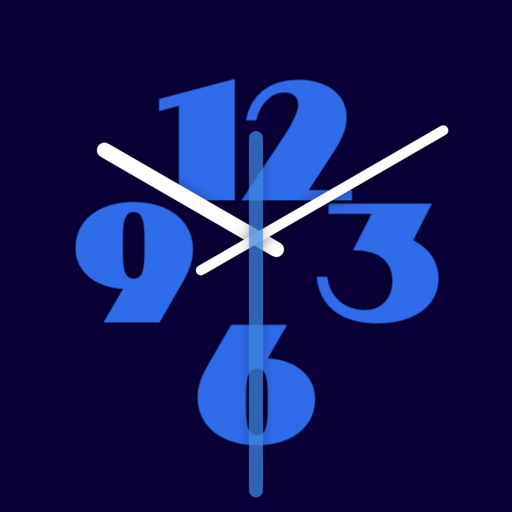
Design and customize widgets for the Home Screen. Choose from modern faces, adjust colors and numerals, set time zones, and create widgets that update in real time.
by Remi Herbiet★ 0.00 ratingsUtilitiesFreeData updated 2026-09-06
Record time with customizable clock styles including flip, digital, and classical designs. Choose from smooth rotation, second hand sound, and elegant dials. Track time for daily use, study sessions, or focus exercises.
Customize home screen with , themes, and wallpapers. Add 3D and depth wallpapers. Mix and match designs from professional creators. Use CarPlay for enhanced navigation and media control.
Displays analog and flip- designs with animated quartz movement. Adjust size, position, and transparency. Enable "always on top" and use hot corners to keep visible. Appears on all desktops.
Display current and time with a customizable widget on home or lock screen. Choose from light and dark modes with themed styles. Adjust widget size to small, medium, or large. Select up to 10 preferred widgets for display.
Turn your iPhone or iPad into a display. View in full screen with no buttons or clutter. Adjust brightness for nightstand use. Tap to dim or swipe to change brightness. Supports landscape and portrait orientations.
Customize with adjustable size, , and shape. Upload personal photos from Camera Roll to personalize designs. Access unique, proprietary widget for iOS 14.
Create personalized widgets with photos, names, and birth dates for you and your partner. Track anniversaries and special dates. Play interactive games to enhance relationship engagement. Add custom text and design elements to widgets.
Personalize home screen with themes and wallpapers. Customize widgets by selecting from a library or creating your own. Arrange widgets to organize favorite apps and settings.
Create and save to-do lists with text input. Add widgets to home screen in various sizes. Support dark mode for customization. Enable quick access to tasks from the home interface.
Display internet and data usage in Notification Center and Lock Screen. View daily usage statistics and billing cycle status through widgets. See live internet and historical usage graphs.
Create customizable counters to set and track goals. Assign unique colors to each counter for easy identification. View detailed statistics and charts to analyze progress over time. Add a widget to monitor counters from the home screen.
OneWall offers minimalist wallpapers for a clean aesthetic. Customize widgets for quick access to information. Features an intuitive setup process. Provides regular design updates.
Set alarms with customizable sounds and flashlight alerts. Customize face with images and colors. Adjust brightness and use as desk or bedside . Display time in analog or digital format. Enable lock screen functionality.
Decorate home screen with photos using . Choose from small, medium, and large sizes. Add up to 50 photos per widget. Set slide durations for each . Place multiple on the home screen.
Create visual event timelines by drawing on a clock face. Tap to edit or reposition events. Receive haptic feedback for precise adjustments. Past events fade to minimize visual clutter. Sync with iOS Calendar and iCloud.