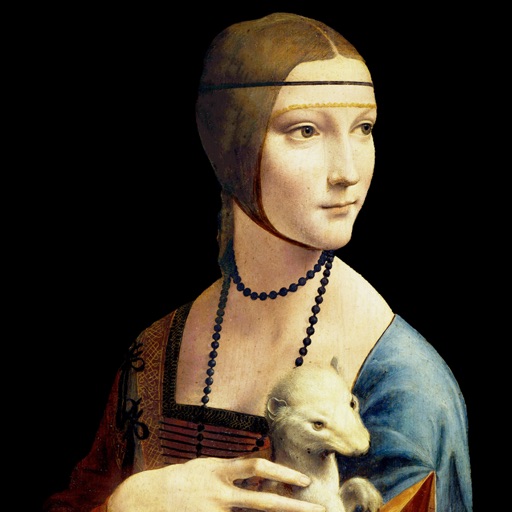
Explore detailed information about including title, artist, creation date, dimensions, medium, and current location. Mark as favorites for quick access. Add customizable widgets to your home screen for easy viewing.
Allows users to transfer images to a surface using a . Features include square divisions, perspective distortion for anamorphic images, and support for both iPhone and iPad with Dark Mode. Users can apply distortion to images and export them for .
The app allows users to draw anything using a grid. Users can select any area of an image, choose different grid types, and adjust grid size, color, and thickness.
Create artwork using AI by entering descriptive text. Generate images based on prompts like "Dream," "Skyline," or "Robot." Edit and share the resulting paintings directly.
Allows users to draw grids over images for precise copying, scaling, and tracing. Features include adjustable sizes, reference image overlay, and zoom capabilities. Users can export drawings and share files directly.
Allows children to draw freely with various brushes. They can save and revisit previous drawings. The supports drawing on iPhone, iPad, and iPod Touch.
Create paintings, drawings, and sketches with realistic brush strokes and 64-bit color. Use sub-pixel precision for detailed work. Import and export artwork in multiple formats. Access advanced tools for layering and color blending.
Use AR to draw on real surfaces by outlines. Share drawings with others. Learn techniques through interactive lessons. Practice new skills in a realistic environment. Export artwork in various formats.
Create image compositions with layers, shapes, and text. Edit photos with touch-up tools and painting features. Add filters and adjustments. Export in various formats and share directly.
Create original artwork, avatars, and posters using text prompts and multiple styles. Generate AI videos from photos with instant editing tools. Design emojis and portraits with customizable options.
Sketch directly on the screen with pressure-sensitive tools. Adjust brush size and opacity. Rotate, resize, and move drawings. Save and share artwork in various formats. Export as vector or raster files.
Solve right-angled triangles by inputting known sides or angles. View step-by-step calculations and a scale drawing of the triangle. Access basic formulae. Enter angles in radians, decimal degrees, or degrees, minutes, seconds.
Create and customize 3D using pose libraries. Apply shading presets like toon shader. Adjust shapes, animations, expressions, camera, and lighting controls. Edit and refine 3D models for various creative projects.
Create face charts and lip art using digital tools. Design looks and save them in a personal style book. Test product combinations and explore endless creative possibilities.
Teaches drawing anime characters through video tutorials. Breaks down character design into -by- lessons. Covers foundational techniques and advanced details. Allows users to practice and refine their skills progressively.