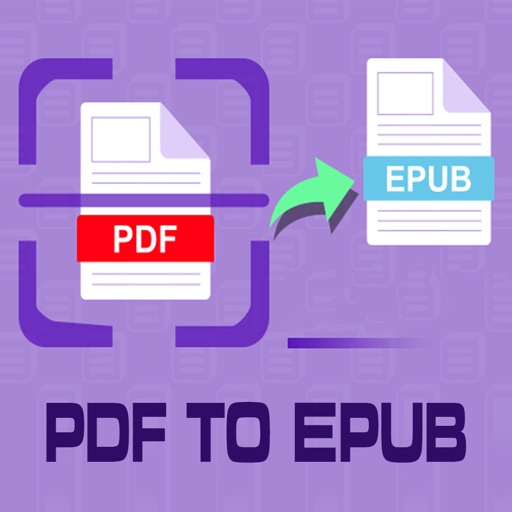
PDF to Epub Converter
Tu Phan
Convert PDF to and read smoothly
Convert PDF files to format for mobile reading. Edit text, adjust fonts, and customize margins. Export as and share or save to device. Supports iPad, iPhone, and ebook readers.

Add to PDF files
Add custom text watermarks to PDF files. Select a PDF, enter text, and choose from recent projects. Apply the and export the file. Share the PDF with colleagues, clients, or friends.
Showing 121–140 of 1,000 ranked alternatives.
Tu Phan
Convert PDF to and read smoothly
Convert PDF files to format for mobile reading. Edit text, adjust fonts, and customize margins. Export as and share or save to device. Supports iPad, iPhone, and ebook readers.
L BERNARDES DESENVOLVIMENTO DE SOFTWARE LTDA
Scan documents and organize files
Convert paper documents to high-quality PDF or JPEG files. Edit scanned text, add notes, and organize files in folders. Share documents via email or cloud services. Collaborate with others by adding comments and annotations.


Muhammet Talha VAROL
Convert photos to PDF instantly
Convert photos to PDF instantly with high-quality output. Merge multiple images into a single file or batch process multiple photos. No watermarks, no uploads, and fully offline. Share or save converted files directly.


ONNEX YAZILIM ANONIM SIRKETI
View files directly on your Apple
View and manage PDF, Word, Excel, and text files directly on Apple . Scroll through pages, zoom in and out, navigate to specific pages, and access files from the wrist.


Wilfredo Crona
Convert images to PDF instantly
Convert images, screenshots, and scanned documents into PDF format. Edit images before conversion, adjust layout, and merge multiple files into one PDF. Save and share the converted documents directly.

CREATIVE TECHNOLOGIES LLC
Documents, edit files, organize PDFs
Files between Word, Excel, PPT, JPG/PNG, TXT, and PDF formats. Export PDFs to Word, JPG, and PPTX. Edit PDFs by extracting text or merging/splitting files. Add e-signatures, stamps, or watermarks to secure documents.


Shaanxi Meiteyoupin Network Technology Co., Ltd.
Read PDF files without internet
Read PDF files offline with full document interaction. and convert documents to PDF. PDF books and notes anytime. Adjust text size and formatting. Share files directly from the .

Filippo Maguolo
Open P7M files and view signers
Open P7M files digitally signed, view content and certificate signers. Import from cloud apps, Files, Mail, or Safari. Export or print content files. Open PDF PAdES signatures and view PDF details.

The Last Sunrise LLC
Convert PDFs to Word, Excel, and more
Convert PDFs to editable formats like Word, Excel, and images while maintaining quality. Edit documents with text formatting and annotations. Create custom stickers with text and graphics to personalize messages.
Apps are ranked by functional similarity, category fit, rating confidence, and popularity.