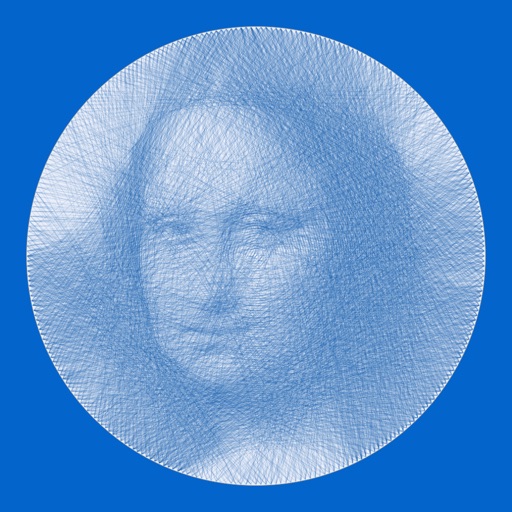
Create art using a continuous for each color. Select an image, choose thread colors and nail count. The generates a step-by-step guide. Customize canvas color and up to 10 thread colors. Adjust circle diameter and thread width for realistic results.
Create artwork using vibrant neon colors and glowing brushes. Draw on a large canvas with sketch tools. Adjust effects and export designs in various formats.
Create and edit videos and images with trimming, cutting, and merging tools. Add music, text, and stickers. Export to iOS devices or social networks like TikTok, YouTube, Instagram, and Facebook.
Edit photos with 200+ filters and AI art effects for enhanced visuals. Adjust brightness, contrast, and saturation. Add text, stickers, and animated effects. Export in various formats and share directly. Apply AI flash for vintage aesthetics.
Generate AI art by typing any idea and watching it come to life. Create portraits, landscapes, and characters. Convert photos into artistic styles. Edit and download generated artwork in various formats.
Create art with customizable brushes and access to 700 additional premium brushes. Design comic panels using 1000 screentones and 60 fonts. Apply filters and use fun background brushes. Save and share artwork directly.
Use your phone camera to draw on any surface. Access templates for animals, cars, and nature. Utilize the built-in flashlight for better visibility. Share completed drawings with friends. Create art using augmented reality technology.
Create artwork using text prompts and style choices. Generate unique images in seconds. Explore various artistic styles. Save and share finished pieces. Edit and refine generated art.
Create animations by drawing frames and applying motion effects. Use pre-designed templates to start projects. Export animations in video format and share via social media or email.
Create artworks from photos or videos using styles like , sketch, oil painting, and watercolor. Choose textures such as canvas or paper. Adjust tones and apply filters. Share creations directly from the .
Edit photos with AI-powered tools to remove backgrounds, generate avatars, and enhance image quality. Add filters, adjust colors, and crop images. Save and share edited photos directly.
Solve puzzles set in museum environments featuring artwork by Klee, van Gogh, Matisse, and others. Complete puzzles to reveal artwork details. Access level 1 for free; higher levels require upgrade. No ads.