Play using realistic samples from four real . Adjust dynamics to forte, mezzo-forte, or piano. Select notes within each drum's range in a standard four- setup. Toggle rolls on or off.
by Havard Tryman★ 4.76 ratingsMusicFreeData updated 2026-09-06
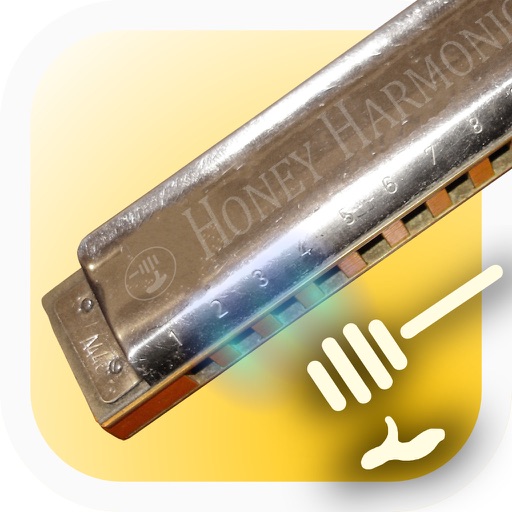
Play single notes and chords on a standard diatonic . Adjust loudness and control breath/draw intensity. No ads in free version. Supports iPhone, iPod touch, and iPad. Includes song playback feature.
Control Yamaha via iOS device with real-time feedback. Adjust settings, access lesson content, and use metronome. Connect using Lightning to USB adapter or Yamaha cable. Record performances and playback samples.
Create and edit music using waveform drum pads and beat-making tools. and files from your library or Dropbox. Remix and compose tracks. Share creations and kits with the community. Export and send files via email.
Turn iPhone or iPad into pads and keyboard. Connect via Bluetooth or USB. Assign and name 16 pads. Use full 88-key piano. Select channels and velocity. Control CC and program changes. View message logs. Requires external synth or plugin.
The app offers a realistic frame drum experience with touch sensitivity and pitch variation. It includes multiple drum layouts, realistic graphics, and sound effects for an immersive playing feel.
Play virtual with MIDI controllers or keyboards. Adjust articulation, dynamics, and breath effects. Use Room Simulator "Ambiente" for spatial audio. Load and save presets. Export audio in multiple formats.
Play kits with finger-based controls. Access studio-quality HiFi sounds. Customize kits with organic and electronic samples. Adjust volume and effects. Record and replay performances. Sync with Apple Health for workout tracking.
Simulate playing a with realistic sound and reverb. Adjust tone volume and pitch. performances. Access multiple configurations. Strike surfaces to create tuned notes.
The app offers a virtual fretless bass instrument with a piano-like note layout. It provides 13 sampled bass sounds and supports MIDI input/output, Audio Unit 3, and Audiobus.
Drum rhythms from popular songs and genres. Select from 1000s of drum patterns and add fills. Progress through structured courses to improve skills. Receive instant feedback while playing and record custom drum grooves.
A tuning for string instruments. Adjust string pitch by comparing with piano sound. Select frequency and tuning settings. Display pitch indication for each string. Calibrate using open strings.
Create and manipulate drum sounds using a graphic editor. Use 76 samples and synthesis drum kits. Mix and match sounds across drum kits and tracks. Load drum kits from factory or other songs to generate new compositions.
A tuning with auto noise filtering. Select frequency and tuning settings. Display pitch for each string as high or low. Calibrate piano sound by clicking an open string. Adjust A4 frequency between 428 and 452.
The app provides over 1,200 samples, 50 editable programs, and 80 editable sequences. It allows users to record samples using the iPad's microphone, line input, or a multi-touch turntable interface.
A music controller for AUv3 Audio Unit hosts. Offers editable drum , MIDI mapping, and integration with host apps. Supports custom pad layouts and real-time parameter control.
Create vocal effects using a vocoder with four parallel bandpass filters. Generate synthesized sounds with a simple sawtooth wave. Adjust pitch via a customizable keyboard. Apply effects like bitcrush, reverb, and vibrato.