Play using realistic samples from four real . Adjust dynamics to forte, mezzo-forte, or piano. Select notes within each drum's range in a standard four- setup. Toggle rolls on or off.
by Havard Tryman★ 4.76 ratingsMusicFreeData updated 2026-09-06
Access a curated menu of premium flower, edibles, pre-rolls, and other products. Place orders for pickup or home delivery via Bud Bus. View real-time product updates and unlock VIP perks and loyalty rewards.
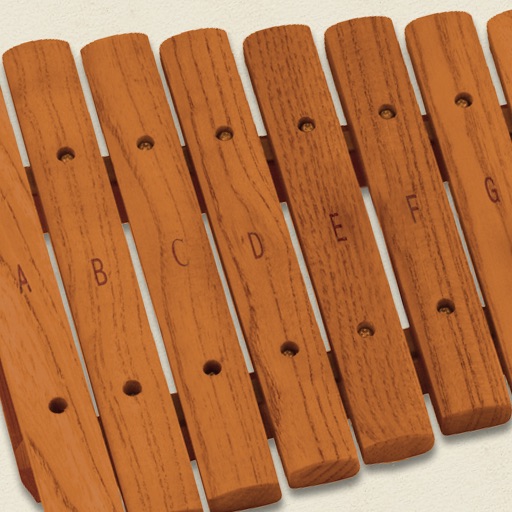
The app simulates a marimba, a percussion instrument with wooden keys arranged like a piano. It produces musical tones when struck with mallets, offering a chromatic layout for performers.
Play Tabla and Pakhawaj with touch-responsive drums that vary sound based on touch intensity. Learn basic and advanced rhythms through structured lessons. Practice with metronome and playback features. Adjust tuning and volume settings.
Create and customize music with drum loops across 15 genres. Tune instruments using a precise . Record and edit audio. Share tracks directly. Sync with other devices. Adjust effects and mix sounds.
Play music using nine sample pads to trigger audio loops and samples. Select tracks from your device library. Adjust playback modes including looping, grouping, and fading. Create custom arrangements for performances or events.
Create and edit progressions with inversions, sus2, sus4, 7th, and 9th chords. Play chords as piano or synth or send MIDI to macOS. Use phone as MIDI keyboard for macOS. Practice reading musical notation.
2 allows users to create drum kits with up to 64 samples per kit. Each pad supports 5 layers. Users can arrange samples in a 4x4 pad layout with 4 sample banks. Multi-sample layers can be controlled individually.
Create and edit music with a multi-track sequencer. Record and adjust patterns in real-time with quantization and undo options. Use an integrated drum sampler with individual effects and XY pads. Load external AUv3 instruments and effects.
Create and edit sheet using a virtual piano keyboard. Export and import MusicXML files for compatibility with other software. Compose simple piano pieces or complex symphonies. View and adjust musical scores with a user-friendly interface.
Play bagpipes using on-screen controls to simulate fingering and embellishments. Adjust breath pressure and volume for realistic sound. Listen to high-quality recordings of real bagpipes.
Use iPad, iPhone, or iPod Touch as a kit with high definition graphics and high quality audio samples. Customize layout for playing style. Play along with music library tracks. Adjust response times for performance.
The app features six different doumbeks with professionally recorded high fidelity sounds. Users can adjust reverb, pitch, and delay, and record, playback, and loop multi-track performances.
Create drum sounds and synthesize vocals using a 24-part sound engine. Use a pattern sequencer to arrange beats. Apply effects including a Phrase Vocoder that converts text to vocal-like sounds. Adjust vocal characteristics such as gender.