Create animations using LEGO, clay, drawings, or everyday objects. Record frame-by-frame footage. Adjust timing, add sound effects, and export videos. Share directly to social media or email.
Edit videos by importing any length footage and selecting a layout or stencil. Add text or stickers. Cut video into 15-second fragments or custom lengths. Save clips to Camera Roll in chronological order. Share edited videos on Instagram Stories.
Convert static photos into animated videos using AI technology. Add music, text, and effects to enhance visuals. Share finished videos directly to social media platforms. Edit clips, adjust timing, and preview before exporting.
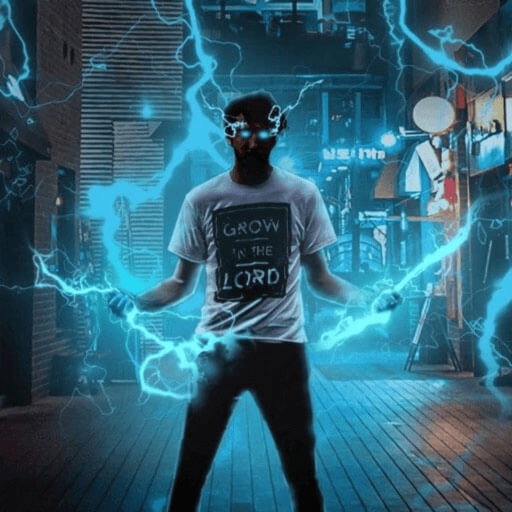
Record and edit videos with visual and templates. Add elements like dragons, magic circles, and space scenes. Include such as fire, laser, and lightning. Export and share edited videos directly.
The app allows users to create photos and movies using green screen technology. It supports high-resolution video and photo capture, with a timeline editor for layering and trimming content.
Allows users to import scripts and control text scrolling speed. Features include adjustable text settings, video recording with scrolling text overlay, and customizable effects for presentations or social media content.
Record videos and photos from the device camera or camera roll. Arrange and trim clips. Add text titles and captions. Apply styles and transitions. Export videos in various formats and share directly.
Faces in videos using AI technology. Select faces from photos or videos. Adjust alignment and expressions. Export edited videos in various formats. Share directly to social media or messaging apps.
Edit photos with one-touch object removal, AI-powered enhancements, and advanced retouching tools. Adjust colors, brightness, and contrast. Add text, stickers, and filters. Export in various formats and share directly.
Create videos quickly with an AI script generator that turns simple ideas into full scripts. Use a for smooth recording, add AI-generated captions, and replace backgrounds with green screen tools.
Create immersive videos with AI-driven special and editing tools. Add transitions, animations, and text overlays. Import footage from iPhone or professional cameras. Export in various formats for social media and other platforms.
Record videos with manual controls for focus, exposure, and stabilization. Edit clips with trimming, transitions, and effects. Add text, music, and filters. Share directly to social media or save in high resolution.
Use live camera, photos, and videos as media sources. Stream video content. Remove with chroma key and spill suppression. Erase backgrounds and skies using AI. Replace erased areas with built-in backgrounds or textures. Blur backgrounds with AI.