Apps Like Collage Maker - PicCollage S for iPhone and iPad
Create collages with photos and templates
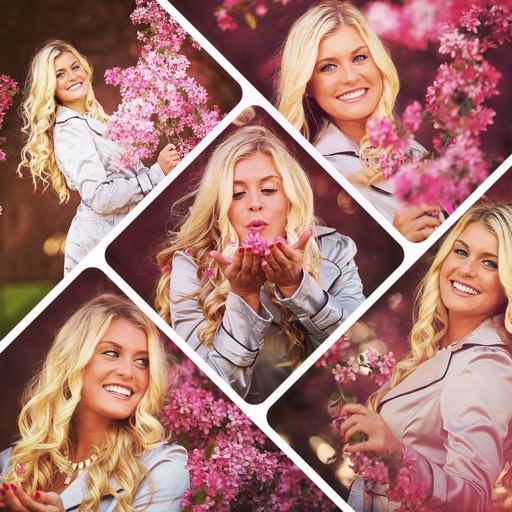
Create collages by combining photos with 100+ templates. Apply filters, add text, and share directly. Edit and arrange images with simple gestures. Save and export in various formats.
by 源 魏★ 4.650 ratingsUtilitiesFreeData updated 2026-09-06
Create photo using 200+ built-in templates. Add watermarks and text to photos. Resize images for Instagram. Customize with 100+ stickers. Save in high resolution. Apply custom frames. Adjust photo textures.
Create collages by arranging photos in various layouts and adjusting their position, angle, and size. Apply unique filters and choose from rich typography styles and text stickers.
Edit photos with filters, cropping, and brightness adjustments. Create collages and custom cards with design tools. Add text, stickers, and backgrounds. Export edited photos in various formats and share directly.
Create collages using photos and videos with hundreds of templates. Arrange media in customizable layouts. Add text, frames, and effects. Share finished collages directly to social media.
Create professional invoices using customizable templates. Track payments and manage client information. Export invoices in PDF or Excel formats. Sync data across devices via cloud storage.
Create collages using over 50 templates. Customize layouts, add text, and include photos or videos. images with filters, cropping, and manual adjustments. Shoot photos with manual camera controls. Export and share edited content in various formats.
Create collages by combining multiple photos into layouts. Choose from 50+ grid styles and tree or 3D modes. Edit photos with cropping, filters, and text addition. Share finished collages directly.
The app allows users to create photo and video collages with customizable layouts and enhancements. Users can add text captions, filters, and borders, and import media from various sources.
Create collages using pre-designed templates and personal photos. Sort images by color to filter matching photos. View and photo library simultaneously for easy arrangement. Add web images directly from the . Export and share finished collages.
Trim videos, add text and transitions, apply filters, and use templates. Insert music and adjust timing with simple taps. Export in various formats and share directly to social platforms.
Create and edit videos and images with trimming, cutting, and merging tools. Add music, text, and stickers. Export to iOS devices or social networks like TikTok, YouTube, Instagram, and Facebook.
Record device screens with customizable settings. Edit videos with trimming, cropping, and effects. Manage files by organizing, renaming, and sharing. Export recordings in various formats.
Create collages by combining multiple photos with customizable grids and stickers. Edit images with filters, cropping, and adjustments. Compress videos for easier sharing. Automatically organize photos and videos into folders.
Create collages by combining multiple photos using various frame patterns and grid layouts. Apply over 1100 design styles to individual images or collages. Share finished creations directly from the .
Edit photos with filters, cropping, and adjustment tools. Create collages, photo posters, and text art. Add stickers and text. Repair old photos. Make -in- effects and GIFs. Share edited content to TikTok, iMessage, and Instagram.
Create collages by adding personal photos and selecting from various . Design layouts with text, stickers, and effects. Export and share finished collages directly.
Convert images, GIFs, or videos into custom stickers for WhatsApp, iMessage, and other platforms. Edit stickers with text, borders, and effects. Save and share stickers directly from the .
Create collages from photos and them. photos directly onto CD/DVDs using an printer. Turn photos into coloring books and customize greeting cards. Personalize stationery and artwork.
Create collages by selecting photos and applying various . Choose from different frame styles to customize the layout. Adjust image positions and sizes. Save and share the final .