AR : Project sketches onto real-world surfaces for accurate proportions. Use stand mode for stable, low-latency . Convert paper sketches into digital art with precise tracing and editing tools. Save and export artwork in multiple formats.
Let children , draw, and interactive games to develop fine motor skills and creativity. Include toddler-friendly activities and cooking games. Track progress and set learning goals. Sync with parental controls for safe usage.
The app offers 240 levels of coloring with four drawing modes and 120 colors. It features elements highlighting and a gallery to view and save creations.
Color images for relaxation and creativity. Draw on blank pages with realistic painting tools. Zoom in easily for detailed work. Watch video replays of drawings. Access a variety of themed pictures for .
Educational for children aged 3 and up offers four : matching, puzzles, colors, and music. Includes high-resolution images, printable drawings, and immersive audio effects. Allows users to color in 24 engaging designs.
Color pictures with a variety of tools and colors. Draw on blank pages with easy zoom. Replay videos of drawing sessions. Access a collection of funny and realistic images for and sketching.
Use AR to draw on real surfaces by outlines. Share drawings with others. Learn techniques through interactive lessons. Practice new skills in a realistic environment. Export artwork in various formats.
Solve interactive puzzles with sound effects and animated backgrounds. Color drawings of animals. Explore interactive objects in the environment. Complete puzzles in the full version or try a selection in the free version.
Color pages with tap, swipe, and brush adjustments. Choose from kawaii-style illustrations featuring bears, bunnies, flowers, and scenes. Use soft pastel color palettes for a gentle, dreamy experience.
Create and customize drawings of characters like dogs, bears, and rabbits. Place them in scenes such as a café, kitchen, or pool party. Add details and decorations to scenes. Save and share completed artwork.
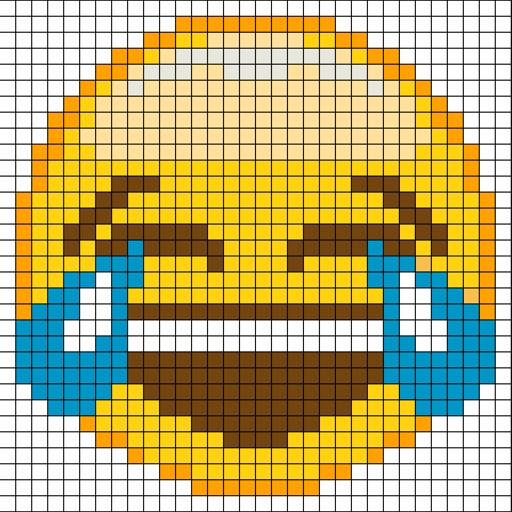
Create by painting individual pixels. Adjust canvas size, select colors, and customize border settings. Erase, undo, and resize drawings. Save artwork to gallery and storage. Share completed pieces others.
Create digital artwork using drawing tools and customizable templates. Access categorized sketch ideas for different skill levels. Save and share drawings directly. Adjust brush settings and layer options for detailed artwork.
Create and customize 3D structures with color and shape options. Solve logic-based puzzles to progress through levels. Share completed builds and view others' creations. Adjust lighting and textures for detailed designs.